Braille production pipelines in 2026:
software, hardware, and workflow
Braille is not a font. It is a translation, a typesetting decision, and a paper artifact — three problems that have to be solved together. Here is the production stack engineers and transcribers actually use in 2026: the translation engines, the embosser families, the source formats they accept, and the quality-control loop that keeps a braille page faithful to the print it came from.
1. The software stack: four engines that do the actual translation
A braille page is the output of a translation, not the rendering of a font. The translator takes a stream of printed characters and emits a stream of braille cells, applying contractions, capitalization markers, number indicators, and language switches according to a code — Unified English Braille (UEB) for most English-language work, Nemeth Code for math, and one of dozens of language tables for non-English text. The translator is where most of the engineering complexity in a braille pipeline lives; everything else in the pipeline is plumbing around it.
Four engines dominate the 2026 landscape. Duxbury Braille Translator (DBT) from Duxbury Systems is the commercial industry standard, in continuous development since the 1970s and still the reference implementation against which other tools are measured. Liblouis is the open-source back-end translation library that quietly powers a large fraction of everything else — NVDA, Orca, BrailleBlaster, the BRLTTY console driver, and a long tail of in-house tooling. Sao Mai Center BrailleBlaster, an open-source production app developed by the American Printing House for the Blind on a Liblouis core, has become the default for K–12 textbook transcription in the United States. RoboBraille is a free cloud service operated by the Danish nonprofit Sensus that turns an uploaded document into a downloadable braille file in approximately a few minutes — useful for ad-hoc requests where buying a Duxbury seat is not justified.
The four engines do not compete on the same axis. Duxbury sells certainty: a tested commercial product with a support contract, a documented certification path for transcribers, and the longest provenance of any tool on this list. Liblouis sells embeddability: it is the library you call from your own application when you do not want to ship a GUI. BrailleBlaster sells a textbook-grade authoring experience with rich math, image-description, and tactile-graphics workflows built in. RoboBraille sells convenience — drag a Word file onto a web form and a braille file comes back.
If you trace the dependency graph of “open-source braille” in 2026, Liblouis sits at the root of most of it. BrailleBlaster calls Liblouis. NVDA calls Liblouis. Orca calls Liblouis. RoboBraille’s English path calls Liblouis. The library is not a competitor to BrailleBlaster — it is a layer underneath it. When a new language table lands in Liblouis upstream, every downstream tool inherits it at the next release.
2. Embosser hardware: from desktop units to interpoint production rigs
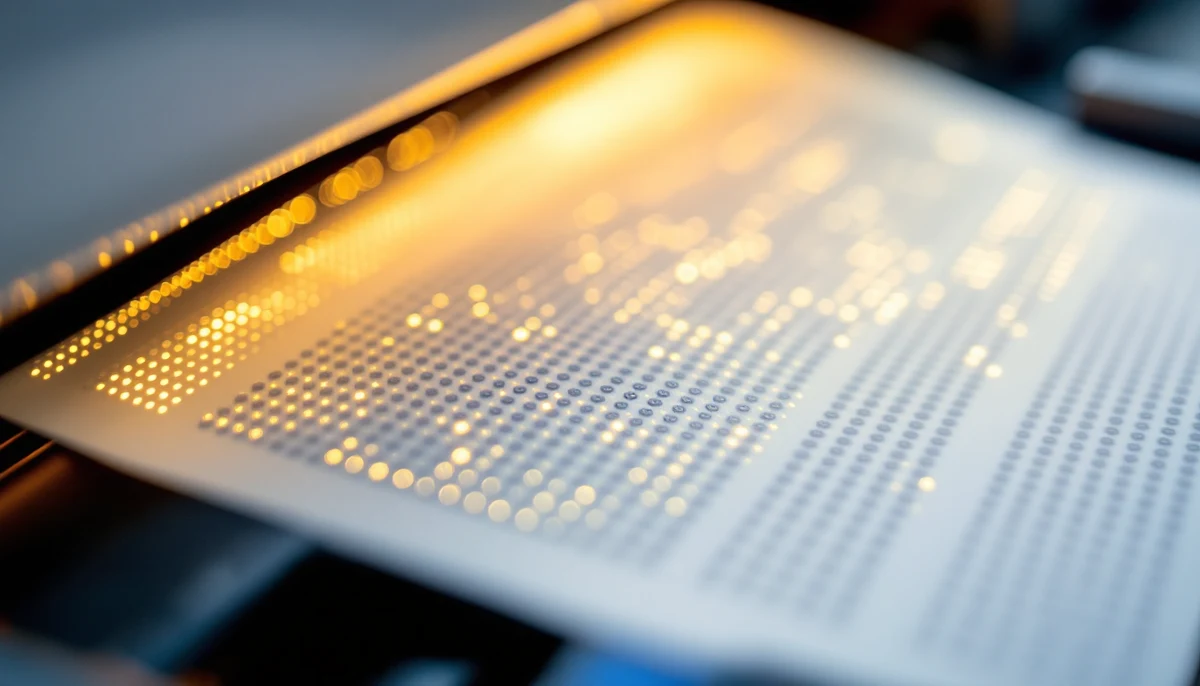
The embosser is the mechanical opposite of an inkjet: instead of laying ink onto a page, two opposing dies pinch a sheet of heavyweight paper between them and push raised dots up from below. Every embosser is some variation of that basic geometry, but the machines vary by an order of magnitude in throughput, page format, and whether they print on one side of the paper or both at once (interpoint).
Two manufacturers dominate the market in 2026. Index Braille (Sweden) ships three lines used widely in schools and small braille houses: Basic-D for single-sided desktop work, Everest-D for interpoint sheet-fed production, and Braille Box for high-volume booklet output. Enabling Technologies (US) ships the Romeo, Juliet, and ET families, used historically by US braille publishers and still the workhorse of many state-level Instructional Resource Centers. Tiger by ViewPlus sits in its own category — a tactile-graphics-capable embosser whose Tiger Cub Jr is the most common entry-level model for STEM classrooms that need raised graphs alongside braille text.
Throughput is measured in characters per second (CPS), but in practice the more useful metric is “pages per minute” because braille pages are short — typically 25 lines of 40 cells, around 1,000 cells total. A desktop unit at 100 CPS produces a single-sided page in about 10 seconds plus paper-handling time, so call it 4 pages per minute. A production interpoint unit at 800 CPS, double-sided, lands closer to 100 pages per minute when fed continuous-form paper. The difference is not 8× — it is closer to 25× — and that gap is what separates a classroom embosser from a production-house embosser.
| Throughput | Format | Interpoint | Typical role | |
|---|---|---|---|---|
| Index Basic-D V5 | approx. 110 CPS | Sheet-fed, single-sided | No | Classroom, library, small office |
| Index Everest-D V5 | approx. 140 CPS | Sheet-fed, double-sided | Yes | Mid-volume transcription centers |
| Index Braille Box V5 | approx. 300 CPS | Sheet-fed booklets, double-sided | Yes | Library and publisher booklet runs |
| Enabling Romeo Attache | approx. 15 CPS | Tractor-fed, single-sided | No | Portable / individual user |
| Enabling Juliet 120 | approx. 120 CPS | Tractor or sheet-fed | Yes | School district, university |
| Enabling ET Series | approx. 800 CPS | Continuous-form, double-sided | Yes | State IRC, commercial braille house |
| ViewPlus Tiger Cub Jr | approx. 60 CPS | Sheet-fed plus tactile graphics | No | STEM classroom, math + diagrams |
Three observations from the matrix. First, the price-to-throughput curve is steep — a Basic-D lists around $4,000, a Juliet around $4,500, and an ET-series production embosser can pass $80,000. A buyer’s decision is rarely about CPS in isolation; it is about how many pages per day the institution needs to ship and whether the paper handling is sheet-fed (classroom) or continuous-form (production-line).
Second, interpoint is the dividing line between “small” and “real” braille production. Single-sided braille doubles the page count and roughly doubles the binding cost of a finished book. Every embosser intended for textbook-scale work is interpoint; every embosser intended for individual or small-run work is typically not.
Third, the Tiger family solves a different problem from the rest. ViewPlus embossers can vary dot height across a page to produce tactile graphics — raised line drawings, bar charts, geographic maps — alongside braille text. For STEM material that fix is not optional; a braille-only embosser can render the text of a graph’s caption but not the graph itself. Where math and diagrams matter, the Tiger pays for itself in workflow time even at lower text throughput.
Embosser throughput is rarely limited by the embossing head. It is limited by paper handling — sheet feeders jam, continuous-form perforations tear, and operator intervention costs minutes per error. The buying decision should weight paper-path reliability at least as heavily as quoted CPS, because the mean-time-between-jams determines actual pages-per-day far more than the raw mechanical rate.
3. The workflow end-to-end: source format to embossed page
A braille production job moves through five recognizable stages. Source preparation cleans up the print original. Translation converts characters to braille cells. Formatting lays out the cells on the page. Embossing puts dots on paper. Proofreading verifies that the embossed output matches the original. Skipping or compressing any of these stages is the most common cause of a production error, because each stage catches mistakes the previous one introduced.
The shape of a production team follows the workflow. A small school district might collapse stages 1–4 onto a single transcriber and outsource proofreading to a freelance contractor. A state Instructional Resource Center splits the stages across specialists: a NimasXML preparer, a transcriber, a formatter, an embosser operator, and a proofreader. A commercial braille publisher adds editorial production and a binding line on top of all of that. The same five stages run; only the headcount differs.
4. Math, multilingual, and the formats that fight the translator
Three classes of source content stress the pipeline harder than ordinary running text. Mathematical notation, mixed-language documents, and graphics-laden source files each demand specific decisions before translation begins, and each is the most common cause of a production rerun.
Mathematics is the headline problem. In English-speaking jurisdictions there are two competing codes — Nemeth, in use since 1952 and still the default in many US transcription centers; and UEB Technical Notation, the math extension of UEB that the rest of the English-speaking world has standardized on. A 2026 US transcriber will often emit “UEB with Nemeth math” — UEB for the prose, Nemeth switched in at every equation, then back to UEB — and the translator has to mark the switch with explicit indicators the reader’s fingers can find. The source format matters: MathML embedded inside an EPUB or NimasXML gives the translator structured equations to convert; an equation rendered as a flat PDF image gives the translator nothing and forces the transcriber to retype every formula by hand.
Multilingual text raises an analogous problem. UEB encodes English. French, Spanish, Arabic, Korean, and dozens of other languages each have their own braille tables, often with multiple historical variants. A single book that quotes a paragraph in French inside an English narrative needs an explicit language switch in the source — usually a Liblouis directive or a NimasXML xml:lang attribute — so the translator pulls in the French table for the foreign passage and switches back at the closing quotation mark. Without that markup, the translator runs French through the English table and produces gibberish on the page.
<p>
  The opening line — <em>Je pense, donc je suis</em> —
  was the start of the modern philosophical tradition.
</p>
The French quotation is marked as emphasis but not as a language switch. The translator will apply the UEB table to the French phrase and emit nonsense — UEB contractions will fire on words that are not English. The error is invisible in the print source and only surfaces on the embossed page.
<p>
  The opening line —
  <em lang="fr">Je pense, donc je suis</em> —
  was the start of the modern philosophical tradition.
</p>
The lang=“fr” attribute tells the translator to switch tables for that span. Liblouis and the BrailleBlaster pipeline read the attribute, pull in the French table, emit French braille for the quotation, and switch back to UEB after the closing tag. The error mode disappears.
The third class of problem is graphics. An image in a print source can carry information that the surrounding paragraph does not repeat — a chart whose caption says “see figure” but whose values are not in the prose; a diagram whose labels are part of the picture rather than the text. The braille production team has three options for each image: a textual description embedded next to where the image was; a tactile graphic produced on a swell-paper or microcapsule machine and bound in alongside the braille pages; or a tactile graphic embossed inline by a ViewPlus Tiger from a vector source. The third option keeps the page count manageable but only works when the original image is available as vector, not as a flattened raster.
A tagged Word document or a NimasXML file gives the translator structured input — paragraphs, headings, lists, language attributes, MathML equations — that can be translated directly. A flat PDF gives the translator a stream of glyphs and forces the transcriber to rebuild structure by hand. If you have any choice in the source format, send the transcriber the original Word, InDesign, or EPUB. PDF is a printout, not a source document; treat it that way.
5. Quality control: NLS standards, BANA certifications, and what gets checked
Braille that comes off an embosser is not finished braille. A production-grade pipeline ends with a quality-control loop that catches translation errors, formatting errors, and embossing errors before the pages reach a reader. In North America that loop is structured by two institutions. The National Library Service for the Blind and Print Disabled (NLS), part of the Library of Congress, sets the standards for braille books that circulate through its network. The Braille Authority of North America (BANA) maintains the formatting rules and certifies the transcribers and proofreaders who do the work.
BANA’s certification program runs two main tracks. The Library of Congress / NLS certification in literary braille transcription requires the candidate to transcribe a sample book — historically about 35 pages — and pass it through a juried review. The certification in Nemeth Code (math) transcription is a separate, harder track with its own sample-book requirement. There are parallel certifications for music braille, for tactile graphics, and for proofreading. The credentials are not legally required to produce braille, but they are required to produce braille for the NLS network and are de facto required by most state IRCs and large publishers.
Translator-output review
Before the file goes to the embosser, a second transcriber (or the same transcriber the next morning) reads through the braille file looking for translator errors — wrong code switches, missed language tables, contractions firing inside proper names. This stage catches roughly half of all production errors and costs nothing but a second pair of eyes.
Format check against BANA Formats 2016
Verify running heads, page numbering, line and cell counts, table indentation, and the use of transcriber’s notes. The BANA Formats document is approx. 300 pages; a checklist condenses the most common formatting decisions into a single page that the formatter can sign off on before embossing begins.
Embossed proofreading by a certified proofreader
A certified braille proofreader reads the embossed pages by hand against the print original. They flag substantive errors (mistranslations, wrong contractions, missing math indicators) for correction and re-embossing, and trivial errors (a single missing dot in a low-stakes word) for log-and-release. This is the stage NLS and BANA standards specifically require.
Sample-page tactile test
Run a fingertip across a sample page and check dot height, dot spacing, and paper warp. Dots that are too low to read reliably indicate a tired embossing head or a paper that is too light for the job. Dots that crush when handled indicate the verso side has not registered with the recto. This stage takes 30 seconds and prevents shipping a print run that reads poorly.
Re-emboss and final pass
Corrections from the proofreader go back through translation and formatting, re-emboss the affected pages or signatures, and run the final pass against the original. For book-length work the loop often runs two or three times before the pages ship. The discipline is what separates a circulation-library copy from a hobbyist print.
Outside North America the institutional structure differs but the quality logic is identical. The UK Association for Accessible Formats (UKAAF) issues equivalent codes and recommendations; ICEVI runs international standards work for braille production in low-resource contexts; the Marrakesh Treaty (in force since 2016) provides the legal framework that lets accessible-format works cross borders, which means a braille edition produced under one country’s standards now circulates much more widely than a decade ago.
”The embosser does what you tell it. The translator does what the table tells it. The transcriber is the only place in the pipeline where judgment lives — and the certifications exist because that judgment cannot be automated away.”
Conclusion: the pipeline is the product
Braille is one of the oldest accessible-format technologies still in continuous production use — Louis Braille published his code in 1829 — and the 2026 pipeline that produces it is a layered stack that has accreted across two centuries. The translation engines have a software heritage that goes back to the 1970s minicomputers. The embosser families have hardware lineages that go back to the 1980s. The standards have institutional histories that go back to the 1930s NLS. And every layer matters: a state-of-the-art translator on a broken embosser produces unreadable pages; a perfect embosser fed by an untagged PDF produces grammatically wrong braille on beautiful paper.
The recurring observation across every part of this stack is that quality is a property of the pipeline, not of any single component. Duxbury, BrailleBlaster, Liblouis, and RoboBraille all produce competent translations when fed competent source. Index, Enabling Technologies, and ViewPlus all produce competent dots when fed competent files. The institutional layer — NLS standards, BANA certifications, the proofreading loop — exists to verify that the whole chain held together, because a single weak link drops the quality of the finished book to the quality of the weakest stage.
That structural shape — a chain of layered specialists with a closing verification step — is older than any of the software in it. The software changes; the workflow does not. An engineering team setting up a new braille production line in 2026 will spend most of their time not on the tools but on the connections between them, which is exactly where every prior generation of braille producers spent theirs.
”A braille page is the most legible accessible-format artifact ever invented, and the least forgiving to produce. Get the pipeline right and the page reads itself. Get any one stage wrong and the reader carries the cost.”