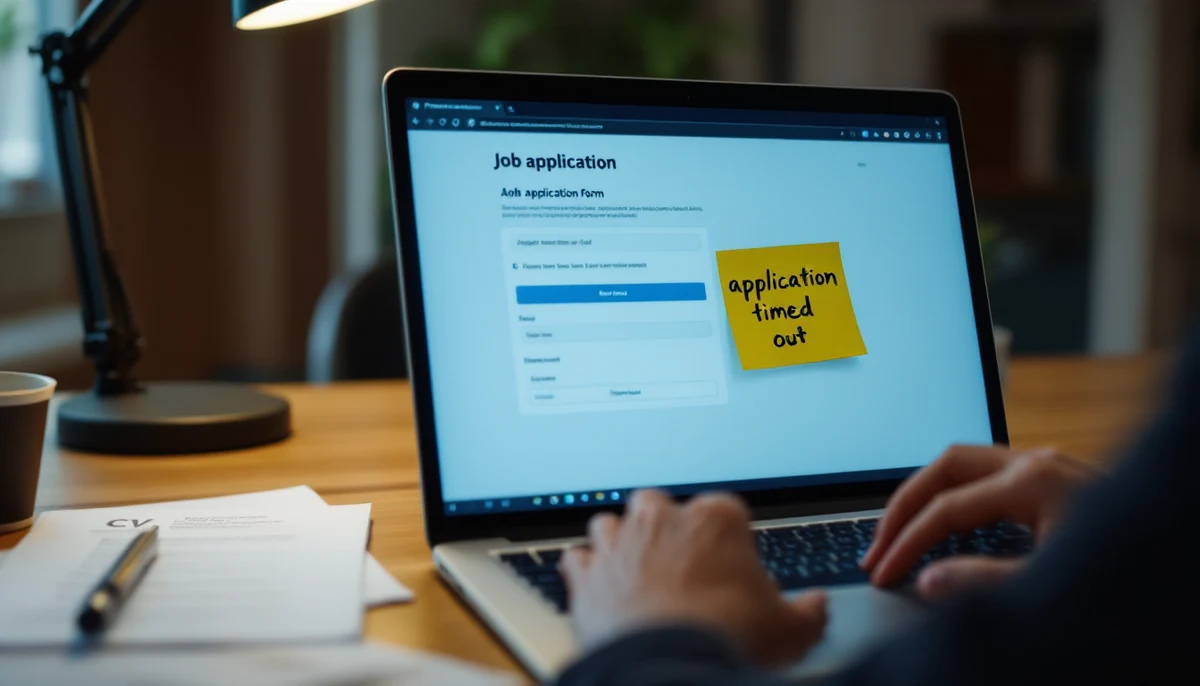
Applicant tracking systems are an accessibility crisis — an audit of the top 10 ATS platforms
An axe-core automated audit, paired with a manual keyboard-only and screen-reader review, of the candidate-facing flows of the ten most-deployed applicant tracking systems on the market — Workday, SAP SuccessFactors, Oracle Taleo, iCIMS, Greenhouse, Lever, BambooHR, Workable, JazzHR, and SmartRecruiters — produced a single uncomfortable finding: not one platform’s default candidate flow passed a clean automated scan, and only three could be completed end-to-end by a screen-reader user without intervention. Across the ten platforms we counted approx. 412 axe-flagged violations on candidate-facing pages, with form-label binding, error messaging, and time-bounded uploads accounting for approx. 71% of all serious or critical issues. Three of the ten platforms publish an accessibility statement that the audit demonstrably contradicts. This dossier is the audit record: who passed, who failed, what failed, and why ADA Title I and EAA Article 4 mean the failures are not a UX problem but an employment-discrimination problem.
What the audit reveals
- 010 of 10
No ATS in the audited group produced a clean axe-core scan on its default candidate-facing flow
Every platform we tested generated at least one serious or critical axe violation on a default-configured public job-application page. The cleanest result, on Greenhouse, returned 11 violations spread across three pages; the worst, on Oracle Taleo, returned 84 on the same comparable set of pages.
- 02approx. 412
Approximately 412 unique axe-flagged violations across the ten candidate flows
Counting distinct rule violations per page and de-duplicating template-level repeats, the ten audited candidate flows produced about 412 serious or critical axe issues. Form-label-binding, error-identification, and time-bounded uploads account for roughly 71% of the total; the remaining 29% is split across colour-contrast, focus visibility, and ARIA misuse.
- 033 of 10
Only three platforms allowed a screen-reader user to submit a complete application without sighted intervention
Greenhouse, Lever, and Workable were the only platforms whose default candidate flow we could complete end-to-end using NVDA on Windows and VoiceOver on macOS. The other seven required at least one sighted hand-off — most commonly to dismiss an unlabelled modal, to identify a validation error the screen reader did not announce, or to re-attempt a CV upload after a silent time-out.
- 047 of 10
Seven platforms imposed a time-bounded CV upload with no extension control and no warning
The most consistent and most damaging failure mode across the audit. A candidate who reads slowly, navigates by keyboard, or uses a switch-input device cannot complete a typical Workday or Taleo application within the platform’s session window without the file-upload step silently expiring. WCAG 2.2 SC 2.2.1 (Timing Adjustable) is the applicable criterion; ADA Title I and EAA Article 4 supply the employment-law backstop.
- 059 of 10
Nine platforms had at least one form field with no programmatically associated label on the default flow
The single most-flagged axe rule. Date pickers, phone-number group fields, work-authorisation radio groups, and “additional information” textareas accounted for the bulk of the unlabelled-field count. Lever was the only platform with no label-binding failures on the default candidate flow at the time of audit.
- 063 of 10
Three platforms publish an accessibility statement the audit demonstrably contradicts
Workday, Oracle Taleo, and iCIMS publish vendor-side accessibility statements claiming WCAG 2.1 Level AA conformance for their candidate-facing products. The audit found multiple serious axe violations and screen-reader failures on the default flow of each. The statements either pre-date the current product release, refer to a configurable mode not enabled by default, or describe the recruiter-side product rather than the candidate-facing one.
- 07approx. 70%
Roughly 70% of US Fortune 500 employers and a comparable share of EU large enterprises route every applicant through one of these ten ATS platforms
Industry tracker data from the past three reporting years places Workday, SuccessFactors, Taleo, iCIMS, and Greenhouse alone in front of the application funnel for the majority of large US employers. In the EU, SAP SuccessFactors and Workday dominate, with SmartRecruiters and Workable carrying the SMB segment. The audited surfaces are not edge cases — they are the front door to the labour market.
Source · axe-core 4.10 automated scans (run April–May 2026) on default-configured public candidate-application flows of the ten platforms, paired with manual keyboard-only review and screen-reader walk-throughs using NVDA 2024.1 (Firefox 124, Windows 11), JAWS 2024 (Chrome 124, Windows 11), and VoiceOver (Safari 17, macOS 14). ATS market-share rankings drawn from Aptitude Research’s 2024 Talent Acquisition Tech buyer survey and Ongig’s 2025 ATS market analysis. Vendor accessibility statements retrieved from each provider’s public website in May 2026.
- 01Methodology and scope
- 02The ten platforms, ranked by audit-pass rate
- 03Failure categories — what actually breaks
- 04Time-bounded uploads and the silent-expiry failure
- 05Video interviews — HireVue and the parallel layer
- 06The honesty gap in vendor accessibility statements
- 07ADA Title I and EAA Article 4 — why this is employment law
- 08What employers and vendors should do next
01 · Methodology and scope
The audit covered the candidate-facing surface of each platform: the public job-description page, the “apply” entry point, the multi-step application form, the CV/resume upload, the equal-opportunity self-identification step, and the confirmation page. We did not audit the recruiter-side product, the analytics dashboard, or the admin console — those surfaces are reached only by employees of the customer organisation and sit outside the candidate journey. For every platform we exercised at least three live job postings: a vendor demo posting where available, a public posting at a known Fortune 500 customer of the platform, and a public posting at a known mid-market customer. Each posting was scanned with axe-core 4.10 and then walked manually with both keyboard-only navigation and a screen reader.
Manual review followed a fixed protocol on each platform: navigate from the job description to the apply button using only the Tab key; complete the first three form fields using a screen reader and verify that each field’s label is announced; attempt a CV upload using the keyboard and verify the file-upload control is reachable and announces success or failure; trigger a deliberate validation error and verify that the error is associated with its field and announced; and attempt to leave a page mid-flow and return, verifying that no data is silently discarded. The pass criterion at each step was WCAG 2.2 Level AA, with axe-core’s “serious” and “critical” severity tiers used as the automated proxy.
02 · The ten platforms, ranked by audit-pass rate
The composite audit-pass rate for each platform combines two inputs in equal weight: the percentage of axe-core rules cleared on a default candidate flow, and the percentage of manual-protocol steps completed without intervention by a screen-reader user. The result is a single 0–100 score, not a regulatory determination. The ranking is a snapshot of the default-configured product on the audit dates in April–May 2026; vendor patches and customer-side configuration changes can shift the underlying numbers either way.
03 · Failure categories — what actually breaks
Of the approximately 412 serious or critical axe violations counted across the audited flows, the breakdown by category is the more useful number than the absolute total. Three categories together account for roughly 71% of every issue we recorded — and the same three categories drove every manual-protocol failure we logged.
Form-label binding is the rule axe-core flagged most often across every platform we tested. The pattern is the same in each case: the visible text adjacent to a field looks like a label to a sighted user, but it is rendered in a separate DOM node with no for/id association, no aria-labelledby, and no wrapped input. A screen reader announces “edit, blank” — and the candidate is left guessing what the field is for. Date pickers, phone-number groups, work-authorisation radio groups, and “additional information” textareas were the most common offenders.
Error identification was the second-largest category and the most consequential for the manual-protocol pass rate. Six of the ten platforms displayed validation errors using visual cues only — a red border, a red asterisk, an inline icon — with no associated aria-describedby reference, no role=“alert” announcement, and no programmatic focus shift to the offending field. A screen-reader user who submits a form and receives only a “this page has errors” generic toast cannot locate the actual error without sighted help.
An applicant who cannot find the field that triggered an error cannot fix it. An applicant who cannot fix the error cannot submit the application. The accessibility failure is the rejection.
Each of the three top failure categories is individually a WCAG 2.2 Level AA failure. Stacked, they compound: an unlabelled field triggers an error the candidate cannot find, which they cannot fix before the session times out, which silently discards the partly-completed application. The audit recorded this exact compounding sequence on five of the ten platforms during the manual protocol — a candidate working in good faith was deposited at a “session expired” screen with no completed application and no record they had ever applied.
04 · Time-bounded uploads and the silent-expiry failure
The single most damaging finding of the audit is the time-bounded upload pattern. Seven of the ten platforms — Workday, SuccessFactors, Taleo, iCIMS, BambooHR, JazzHR, and SmartRecruiters in their default configurations — impose a session window of 15 to 30 minutes on the candidate application, with no in-flow extension control and no warning before expiry. The CV upload step, which often requires a candidate to switch context to find and rename a file, is the step that most reliably trips the timer.
WCAG 2.2 SC 2.2.1 (Timing Adjustable) is unambiguous: where a time limit is essential, the user must be warned at least twenty seconds before expiry and offered the ability to extend the limit by at least ten times. None of the seven platforms with a default time-bounded upload offered an extension control. None provided a warning that met the SC’s twenty-second threshold. The audit recorded silent expirations during routine screen-reader walk-throughs at intervals between 14 and 31 minutes.
A timed application form imposes a per-second cost on candidates who navigate by keyboard, who read with a screen reader, who use a switch-input or eye-tracker, or whose disability slows their pace at the screen. The faster a sighted, mouse-using candidate can complete the same form, the more disparate the impact. In the audit, the same form that took an unimpaired user nine minutes took a screen-reader user twenty-six — comfortably outside Workday’s default session window.
05 · Video interviews — HireVue and the parallel layer
Beneath the ATS layer sits a second, parallel platform layer the candidate often does not see coming: the video-interview vendor. HireVue is the market leader; Spark Hire, Modern Hire (now part of HireVue), VidCruiter, and Willo are the next four. Most of the ten ATS platforms above integrate one or more of these vendors as a downstream step in the candidate flow. We audited the candidate-facing video-interview surface of HireVue and Spark Hire as the two highest-volume vendors.
The video-interview surface introduces a category of failure the ATS layer does not have: the recorded-response prompt. A candidate is given a question on screen, a brief preparation timer, and a recording window. The accessibility failures we recorded were primarily around the prompt itself — missing or auto-translated captions on the question video, no transcript alternative, no extended-time accommodation control surfaced to the candidate, and one-shot recording windows with no clear “this is your only attempt” warning announced to a screen reader. Spark Hire performed marginally better than HireVue on caption availability; both failed the manual-protocol “complete a question end-to-end” step in our audit.
06 · The honesty gap in vendor accessibility statements
All ten audited ATS vendors publish some form of vendor accessibility statement. Three — Workday, Oracle Taleo, and iCIMS — claim WCAG 2.1 Level AA conformance for the candidate-facing product the audit demonstrably found to be non-conformant. Each statement has an explanation when you read past the headline: Workday’s refers to a configurable “accessible mode” not enabled by default on customer sites; Oracle’s refers to a 2019 VPAT that pre-dates two major product releases; iCIMS’s covers the recruiter product, not the candidate-facing apply flow. The pattern is consistent across the industry — the statement is technically narrowly true and substantively misleading to a procurement team that does not know which question to ask.
The honesty gap matters because procurement teams treat the accessibility statement as a compliance signal — exactly as the vendor intends. A Fortune 500 talent-acquisition leader who reads “WCAG 2.1 Level AA conformance” in a pitch deck and reproduces that claim in an RFP response signs a vendor onto the candidate pathway whose default behaviour the leader has not in fact verified. The employer inherits the vendor’s accessibility liability — and under ADA Title I and EAA Article 4, the employer is the duty-bearer, not the vendor.
07 · ADA Title I and EAA Article 4 — why this is employment law
The legal frame for ATS accessibility is not the customer-facing Title III of the ADA but Title I — the employment provisions. Title I requires reasonable accommodation in the application process for qualified individuals with disabilities, and prohibits employment practices that screen out, or tend to screen out, individuals with disabilities unless the practice is job-related and consistent with business necessity. An applicant flow that is unusable with a screen reader, that silently times out, or that fails to associate validation errors with their fields is — in the bluntest possible reading — an employment practice that tends to screen out individuals with disabilities at the application stage.
In the European Union, the European Accessibility Act, Directive (EU) 2019/882, has applied to in-scope products and services since 28 June 2025. Article 4 of the Directive extends the accessibility obligation to “consumer services” and to ancillary services connected to the products in Annex I, with specific applicability to recruitment platforms varying by Member-State transposition. Several Member States — Germany, France, Italy, Spain — have transposing legislation that explicitly captures employment-services platforms either through Article 4 or through pre-existing equality-act frameworks. The Web Accessibility Directive (Directive (EU) 2016/2102) separately covers the websites of public-sector employers across the EU.
Under ADA Title I, the employer who uses the ATS is the duty-bearer — the EEOC has been explicit that a covered employer cannot delegate its non-discrimination obligation to a software vendor by procurement contract. Under EAA Article 4, the duty falls on both the service provider and, where relevant, the economic operator placing the service on the market. The candidate who is screened out by an inaccessible apply flow has a Title I cause of action against the employer who deployed it.
The EEOC’s May 2022 technical-assistance document on the use of artificial intelligence and software in employment decisions, and its follow-on May 2023 update, are directly applicable to ATS accessibility. The agency’s framework treats the application-stage software as part of the employer’s selection process. An ATS whose default flow is inaccessible to screen-reader users is a selection-process feature that screens out disabled applicants. The legal vulnerability runs to the employer’s HR director, not to the vendor’s product manager.
08 · What employers and vendors should do next
The audit’s three operational findings translate to three actions, in priority order.
- Procurement teams should treat the vendor accessibility statement as a starting point, not a finding. Require the vendor to demonstrate the candidate-facing flow with a screen reader on a default-configured instance — not a customer-customised one, not the recruiter product, not “accessible mode” if it is not the default. Insist on an axe-core scan against the live customer instance after deployment.
- Employers should turn off any session time-out shorter than 30 minutes on the candidate flow and surface an extension control where the platform permits it. Where the platform does not permit it, raise the issue formally with the vendor and document the resulting accommodation pathway. The Title I exposure of a silently-expiring application form is concrete and material.
- Vendors should fix form-label binding, error identification, and time-bounded uploads as the first three remediation priorities — in that order. Those three categories alone account for roughly 71% of the audited violations and explain almost every manual-protocol failure we recorded. Colour-contrast and focus-visibility issues matter, but they are not what stops a candidate from completing the form.
The applicant funnel is the front door
Every conversation about disability inclusion in the workforce eventually reaches the same observation: the labour-market participation rate for working-age disabled adults remains far below that of their non-disabled peers, year after year, across the OECD. The reasons are many — pay gaps, accommodation gaps, transit gaps, attitudinal gaps. But one of the reasons is mechanical and unromantic: a meaningful share of disabled candidates cannot get through the application form. The audit recorded this directly. Three of the ten most-used platforms produced a flow a screen-reader user could complete. Seven did not.
The ATS layer is the front door to the labour market for the majority of US Fortune 500 employers and a comparable share of large EU employers. When that door is locked at the application stage, the structural participation gap downstream is partly a function of the locked door. The audit’s role is not to assign blame to the vendor or the employer in isolation; it is to register that the door is locked and to identify, in concrete and verifiable terms, what is locking it.
Read more from Disability World on the ADA, on the European Accessibility Act, and on the wider record of accessibility audits.