Sight on demand
the three years that rewired blind and low-vision life
Between 2023 and 2026, the tools blind and low-vision people use every day stopped being a slow trickle of single-purpose gadgets and became a wave of general-purpose AI. A phone can now read a room, a pair of ordinary-looking sunglasses can call a volunteer, and a braille display can finally show a graph. This primer maps what genuinely shipped, who makes it, and — just as important — where each one still fails.
1. What actually changed
For most of the smartphone era, the assistive technology a blind person relied on came in two flavours. There were narrow, expensive, single-purpose devices — a text-reading camera, a colour identifier, a GPS unit with a clumsy voice — and there were apps that connected you to a human, because no machine could reliably describe the messy visual world. The first flavour was costly and brittle. The second worked, but it meant asking another person every time you wanted to know whether the milk had expired.
The pivot came in March 2023, when OpenAI announced GPT-4 and used the blindness app Be My Eyes as a flagship demonstration of what a vision-capable model could do. For the first time a general-purpose model, not a hand-built classifier, could look at an arbitrary photo and answer questions about it in fluent language. That single capability — describe anything, then answer follow-ups — turned out to be exactly the thing the field had been missing. Within eighteen months it had been wired into phones, sunglasses, screen readers, and canes.
This primer surveys that wave across six fronts: the visual-assistance apps, the wearables, the navigation aids, the operating-system screen readers, the braille and tactile breakthroughs, and the web layer underneath all of it. Throughout, the question is the same one we ask of any new tool: not “is it impressive in a demo?” but “does a blind person get a correct, useful answer when they need one?” The honest answer, in 2026, is “far more often than in 2022 — and still not often enough to trust blindly.” We keep both halves of that sentence in view.
We treat a tool as delivering when it returns an answer a blind user can act on without a sighted person re-checking it. The same yardstick we apply to AI image descriptions in our companion primer on where AI alt text actually delivers in 2026 applies here: a confident sentence that is wrong is worse than no sentence at all.
2. Sight on demand: the apps and services
The most consequential change is also the least visible: it lives in apps people already had. The category split into two layers that now work together — instant AI description for the routine question, and a human on the line for the moment that matters. The strongest workflows let a user start with the model and escalate to a person in one tap.
The cards below capture the practical behaviour of the five services that dominate everyday use, not the marketing claims. “The catch” is the column to read first.
”The strongest workflows let a user start with the model and escalate to a human in one tap — the machine for speed, the person for the moment that matters.”
3. The camera moved to your face
Holding a phone up to point its camera is workable, but it occupies a hand and announces to everyone nearby exactly what you are doing. The most important hardware shift of the period was moving the camera onto the head, where it points wherever the user looks and frees both hands. Two things made this real at once: cheap, decent wearable cameras, and a model good enough to make sense of what they see.
The landmark was November 2024, when Meta added a blind-user mode to its mainstream Ray-Ban Meta glasses through a Be My Eyes integration — a “Call a Volunteer” feature that streams the wearer’s first-person view to a sighted helper, alongside Meta’s own AI that can describe what is in front of you on request. For the first time the assistive device was a pair of sunglasses people already wanted to wear, not a conspicuous medical appliance.
Glasses that describe a scene are excellent at “what is this?” and useless at “is there a step in front of me?” Scene description and obstacle avoidance are different jobs requiring different sensors. Every credible maker in this category says the same thing: the device sits alongside the white cane or guide dog, not in place of it.
4. Knowing where you are
Navigation is the hardest problem in the field, because the cost of a wrong answer is a curb, a stairwell, or a road. The period produced real progress on two distinct sub-problems: sensing what is immediately around you, and orienting yourself in a building where GPS dies.
WeWALK Smart Cane 2
A 2024 refresh of the smart cane that bolts a sensing handle onto an ordinary white cane. It detects chest- and head-height obstacles that a cane sweep misses — overhanging branches, open cupboard doors, truck mirrors — and warns through vibration. The second generation widened the detection angle, added a built-in AI voice assistant (running on GPT-4) and tighter navigation and public-transit integration, and collected an Edison Award and a King’s Award for Enterprise Innovation. Crucially, it keeps the cane: the proven tool stays, the sensing is additive.
Glidance Glide
The most genuinely new form factor of the period. Glide is a small two-wheeled device from a company founded by former Microsoft accessibility technologist Amos Miller. You nudge it forward and it rolls ahead of you, physically guiding you — steering around obstacles and communicating through the telescoping handle, somewhere between a white cane and a guide dog. Its first pre-order batch opened in mid-2024 and sold out by year’s end; the device carries a monthly subscription of about 30 USD, with shipping to the earliest backers beginning in 2026. It is early, and it is the device most worth watching.
GoodMaps indoor navigation
Outdoor turn-by-turn has worked for years; indoors, where GPS fails, has not. GoodMaps uses camera-based positioning to place a user inside a mapped building — an airport, a transit hub, a campus — and give step-by-step guidance without the beacons earlier systems required. Coverage is the limit: it only works where a venue has paid to be mapped.
Apple Door Detection and Magnifier
The navigation aid most people already own. The Magnifier app’s Detection Mode finds doors, reads the signage on them, and reports whether they are open and how to open them, using the LiDAR scanner on Pro iPhones and iPads. People Detection measures distance to others nearby, and VoiceOver Recognition describes objects and scenes on-device. None of it needs a subscription or extra hardware — it ships in the box.
”The cost of a wrong navigation answer is not an awkward sentence — it is a curb, a stairwell, or a road. That is why every serious maker keeps the cane in the loop.”
5. The OS caught up
The quietest revolution happened inside the screen reader. For years, the gap a blind user hit most often was the undescribed image — a photo, a chart, a meme with no alt text. Between 2024 and 2026 every major platform shipped a built-in answer: point the screen reader at an image and an on-board model describes it, then takes follow-up questions. What used to require a third-party app is now a keystroke.
The matrix below compares where each platform landed. The pattern is consistent — AI image description everywhere, live camera understanding strongest on mobile, braille support newly deepened on Apple — but the details decide which tool fits a given user. For testing methodology and tooling, our screen-reader testing tools guide goes deeper, and the underlying standard is WCAG 2.2.
| Screen reader | AI image description | Live camera scene | New in 2025 | Cost |
|---|---|---|---|---|
| VoiceOver + Magnifier (Apple) | VoiceOver Recognition (on-device) | Door & People Detection | Braille Access, Accessibility Reader, Magnifier for Mac | Built in |
| TalkBack + Gemini (Android) | Gemini describes & answers questions | via Lookout | Deeper Gemini Q&A on images and full screen | Built in |
| JAWS (Windows) | Picture Smart AI (ChatGPT, Claude) | N/A (desktop) | Faster Picture Smart, follow-up Q&A | Paid licence |
| NVDA (Windows) | Community add-ons (GPT-4 vision) | N/A (desktop) | Maturing add-on ecosystem | Free + add-on |
Apple’s May 2025 wave deserves its own note, because it widened the definition of accessibility. Braille Access turns an iPhone, iPad, Mac, or Vision Pro into a full braille note-taker that talks to a refreshable display natively. Accessibility Reader is a system-wide reading mode for low-vision and dyslexic users. Accessibility Nutrition Labels put the accessibility features of an app right on its App Store page, so a blind user can tell before downloading whether an app will work — a structural nudge that pressures every developer to do better.
One earlier feature deserves a mention here too: Personal Voice, which lets someone record and synthesise a model of their own voice. It was built with people losing speech in mind, but it points at a broader future where the synthetic voice in a blind user’s ear can be one they actually chose.
6. Reading by touch finally got a graph
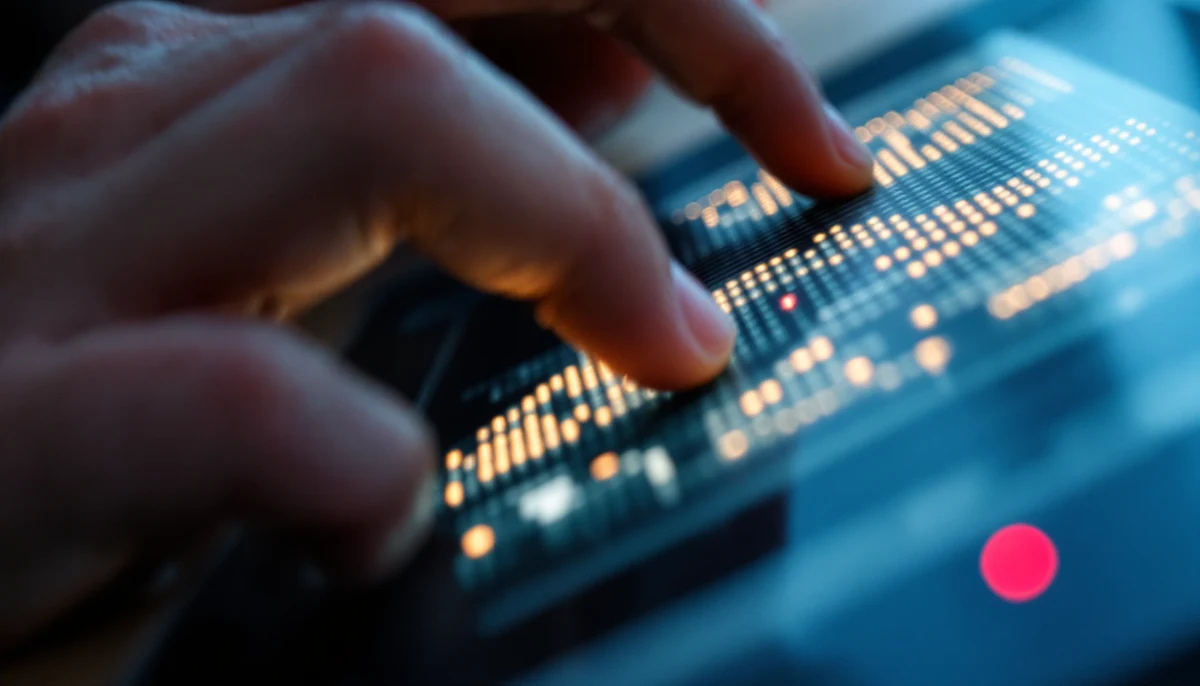
Amid all the AI, the most overdue breakthrough was mechanical. Refreshable braille displays had shown a single line of text for decades — fine for prose, hopeless for a maths textbook, a map, or a chart. The dream of a full page of dynamic braille and tactile graphics had a name in the field, “Holy Braille”, and for years it stayed a dream.
In 2024 it shipped. The Monarch, a partnership between the American Printing House for the Blind and HumanWare, is the first mainstream device to show ten lines of braille and tactile graphics on the same refreshable surface — so a student can feel a bar chart, a geometry diagram, or a map and read its braille labels at once. It is Android-based, imports tactile-graphic files, and supports the emerging multiline eBraille format. The price is steep, around five figures, which is why it largely reaches students through institutional funding rather than individuals. Korea’s Dot Pad, a pin-array tactile display that Apple supports natively, attacks the same problem from the consumer side. For the wider market, see our refreshable braille displays buyer’s guide.
A blind student can listen to a description of a parabola, but they cannot explore it the way a sighted student traces a curve with their eyes. Multiline tactile graphics restore that exploration. The educational consequence — particularly for STEM, where the field has lost generations of talent to inaccessible diagrams — is larger than the device count suggests.
7. The catch: what is still broken
Every section above carried a “the catch” line for a reason. The progress is real, but a primer that only sold the upside would be doing its readers a disservice. Four limitations cut across the whole landscape, and any honest buyer should weigh them before the marketing.
Confident hallucination
Every AI-description tool here will, sometimes, describe something that is not there — a price that is wrong, a label it could not read but guessed, an expiry date it invented. It does so in the same fluent, certain tone it uses when it is right. For routine questions that is tolerable; for medication, allergens, financial documents, or anything safety-critical, the only safe rule is to verify with a human or a trusted non-AI channel. The model drafts; it does not get the final word.
The price of the good stuff
The free tier is genuinely transformative — Be My AI, Seeing AI, Lookout, and the built-in screen-reader features cost nothing. But the dedicated hardware that does more, or works hands-free, or reads by touch, runs from hundreds to many thousands. A Monarch is a five-figure device. The result is a widening gap between what is theoretically possible and what an individual without institutional funding can actually afford.
The camera always sees
A device that streams your first-person view to a cloud model or a volunteer also streams everything else in frame — the people around you, the documents on your desk, the inside of your home. The privacy trade-off is real and largely unregulated, and it lands hardest on the users with the least choice about whether to accept it. Good design minimises what leaves the device; not all design is good.
Tools are not training
No app replaces orientation-and-mobility instruction, and no sensor replaces the white cane or guide dog for detecting the ground. The danger of a very good assistant is the false confidence it can create. The devices that succeed are the ones built as additions to proven skills, not substitutes for them — which is why the cane keeps reappearing in this article.
All of this assistive intelligence runs on top of a web that is mostly still inaccessible. An AI screen reader can describe an image, but it cannot fix a button with no label, a form that traps focus, or a checkout that breaks under a screen reader. The tools improved faster than the websites did. Before trusting that your own site keeps up, run it through a free accessibility scan — and treat AI overlays that promise instant compliance with deep suspicion.
Conclusion: the ceiling rose, the floor held
Written honestly, the story of 2023 to 2026 is that the ceiling rose dramatically and the floor barely moved. A blind person in 2026 can do things that were science fiction in 2022 — ask a pair of sunglasses what is on a menu, feel a graph refresh under their fingers, get any photo described in a keystroke. That is a genuine expansion of independence, and it arrived faster than anyone in the field predicted.
But the floor — the things that have to be right every single time — held firm. A model still hallucinates. A camera still sees too much. A great app still cannot fix a broken website or replace a mobility instructor. The maturity of this moment is not in the demos; it is in knowing exactly which tool to trust for which job, and which to double-check. The best practitioners and users already think this way: machine for speed, human for the moment that matters, and the cane in your hand the whole time.
The next three years will be judged on the floor, not the ceiling. If hallucination rates fall, if the good hardware gets cheaper, and if the web underneath finally catches up to the assistive technology sitting on top of it, the gap between what is possible and what is reliable will close. Until then, the rule that runs through every section of this primer holds: the tools are a remarkable draft of sight on demand — and the user, not the model, still gets the final say.
”The ceiling rose dramatically and the floor barely moved. Maturity is knowing which tool to trust for which job — and which to double-check.”