Refreshable braille displays in 2026:
a buyer’s guide across 12 models
Twelve refreshable braille devices share the 2026 market, with prices that span from a few hundred dollars to nearly nine thousand and use-cases that span pure reading to multi-line tactile graphics. This is the working buyer’s score-sheet, written for blind professionals, parents, teachers, and the procurement officers who serve them.
1. What a buyer is actually buying when they buy a braille display
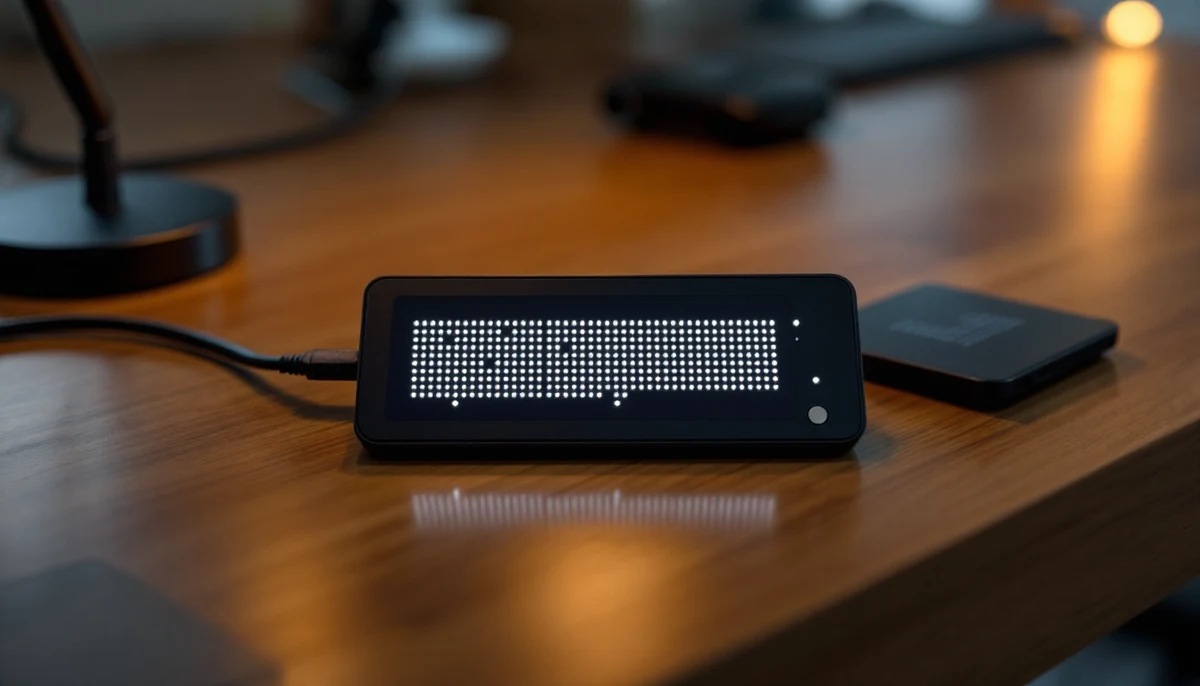
A refreshable braille display is a row — sometimes a grid — of small plastic pins that rise and fall under software control to form braille characters. The pins are usually driven by piezo-electric actuators, occasionally by stepper motors in newer low-cost designs, and increasingly by tactile-graphics modules in the highest-end devices. The display connects to a computer or phone over USB or Bluetooth, and a screen reader on that host feeds the characters out cell by cell. That is the whole mechanism, and it has been the whole mechanism for forty years.
What changes between models is everything that surrounds the pins: how many cells the device shows at once, how it pairs, what notetaker software it ships with, how long the battery lasts, which screen readers handle it cleanly, and how much it costs in the buyer’s home currency after import tax and warranty extensions. A 40-cell display reads a full line of book prose at once; a 20-cell display fits in a coat pocket and reads a phone notification. A device with built-in notetaker apps can edit a document on a plane with no host computer at all; a “display-only” device cannot. These are not trivial differences. They are the difference between a tool that disappears into the workday and a tool that sits on a shelf.
1. Cell count. 20 cells (pocket), 32 cells (mid), 40 cells (full line), or multi-line for graphics.
2. Connectivity. Bluetooth (any version), USB-C, USB-A, and any extra ports such as SD card slots.
3. Screen-reader compatibility. JAWS, NVDA, VoiceOver — and how cleanly each one drives the device.
4. Notetaker apps. Whether the device runs editor, calendar, email, and book-reader apps natively without a host computer.
5. Battery. Hours of continuous reading or note-taking on a single charge.
6. Price. Manufacturer’s suggested retail in USD, EUR, and GBP — before national assistive-tech subsidies, which can offset 100% of the cost in some countries.
7. Warranty. Standard manufacturer’s warranty and what extensions cost.
”A braille display is not a screen replacement. It is a tactile keyboard for the language a blind reader already speaks fluently — and the price of that fluency is forty years of slow industrial progress.”
2. The twelve models on the table
The 2026 market sorts into four tiers. The premium tier — Brailliant BI 40X, Polaris, Mantis Q40, Activator — sits in the 4,000 to 6,000 USD band and combines a 40-cell line with a full notetaker operating system. The mid tier — Brailliant BI 20X, QBraille XL, Chameleon 20, Eurobraille Esys — sits in the 2,500 to 4,000 USD band, with either fewer cells or a thinner notetaker layer. The low-cost tier — Orbit Reader 20 and 40 — sits below 1,500 USD by using stepper motors instead of piezo actuators. The graphics tier is a tier of one: the Dot Pad ships an entire two-dimensional pin grid and reads at a price that makes it an institutional rather than personal purchase.
The cards below summarise where each model sits and what kind of user it is built for. The dots reflect the device’s overall fit for a typical blind professional buying their first or second display in 2026; they are not a quality score. A four-dot Orbit Reader is not a worse machine than a five-dot Brailliant — it is a less expensive machine that does fewer things, and that calculus is exactly the right one for many readers.
The USD, EUR, and GBP prices in section three are manufacturer’s suggested retail at time of writing and shift with currency, customs, and reseller margin in any given country. Driver and screen-reader compatibility, by contrast, is set by the vendor and changes only when a new firmware or screen-reader version ships. Treat the matrix as durable; treat the price column as a snapshot.
3. The feature matrix: model by attribute
The seven attributes from section one, scored against the twelve models from section two. Prices are manufacturer’s suggested retail in USD, EUR, and GBP. Battery hours are vendor-reported continuous reading. “JAWS / NVDA / VoiceOver” entries name the screen readers that drive the device with a first-party or community driver; absence does not mean impossibility, only that the buyer will need a workaround.
| Model | Cells | Connectivity | Screen-reader support | Notetaker apps | Battery | Price (USD / EUR / GBP) | Warranty |
|---|---|---|---|---|---|---|---|
| Brailliant BI 40X | 40 | USB-C, Bluetooth 5 | JAWS, NVDA, VoiceOver | Editor, library, calendar, calculator | approx. 15 h | approx. 4,395 / 4,250 / 3,650 | 2 yr standard |
| Brailliant BI 20X | 20 | USB-C, Bluetooth 5 | JAWS, NVDA, VoiceOver | Editor, library, calendar, calculator | approx. 15 h | approx. 3,095 / 2,990 / 2,580 | 2 yr standard |
| HIMS Polaris | 32 | USB-C, USB-A host, Bluetooth, Wi-Fi | JAWS, NVDA, VoiceOver (host) + Android native | Full Android notetaker suite | approx. 18 h | approx. 5,995 / 5,800 / 4,990 | 1 yr standard |
| HIMS QBraille XL | 40 | USB-C, Bluetooth | JAWS, NVDA, VoiceOver | None (display-only with QWERTY input) | approx. 20 h | approx. 3,795 / 3,690 / 3,150 | 1 yr standard |
| Orbit Reader 40 | 40 | USB-C, Bluetooth, SD card | JAWS, NVDA, VoiceOver | Stand-alone reader, simple editor, file browser | approx. 20 h | approx. 1,495 / 1,490 / 1,280 | 1 yr standard |
| Orbit Reader 20 | 20 | USB-C, Bluetooth, SD card | JAWS, NVDA, VoiceOver | Stand-alone reader, simple editor, file browser | approx. 20 h | approx. 699 / 720 / 620 | 1 yr standard |
| APH Mantis Q40 | 40 | USB-C, Bluetooth 5 | JAWS, NVDA, VoiceOver | Editor, library, calculator, terminal | approx. 14 h | approx. 2,495 / 2,490 / 2,140 | 2 yr standard |
| APH Chameleon 20 | 20 | USB-C, Bluetooth 5 | JAWS, NVDA, VoiceOver | Editor, library, calculator | approx. 14 h | approx. 2,195 / 2,190 / 1,880 | 2 yr standard |
| Eurobraille Esys | 40 | USB-C, Bluetooth | JAWS, NVDA, VoiceOver | Editor, calendar, address book | approx. 20 h | approx. 4,195 / 3,990 / 3,490 | 2 yr standard |
| Help Tech Activator | 40 | USB-C, Bluetooth, Wi-Fi, ATC | JAWS, NVDA, VoiceOver + Android native | Full Android notetaker suite | approx. 12 h | approx. 6,495 / 6,290 / 5,390 | 2 yr standard |
| Dot Pad | 2,400 pins (300 cells, multi-line) | USB-C, Bluetooth, iPad pairing | VoiceOver (primary), JAWS via host bridge | None (tactile graphics surface, host-driven) | approx. 8 h | approx. 8,900 / 8,490 / 7,290 | 1 yr standard |
| Honourable mention | Varies | Varies | Varies | Niche or loaner-only | Varies | Varies | Varies |
The matrix sorts naturally into three reading orders. Read down the price column to compare cost. Read down the notetaker column to compare independence from a host computer. Read down the screen-reader column to confirm a model talks to the software the buyer already runs. The matrix does not score the cells themselves — every device on this list uses braille cells that meet the standard 2.5 mm dot diameter and 2.5 mm cell spacing, and a side-by-side touch test rarely separates them.
4. Top three picks for 2026, by user profile
The matrix names twelve devices; most buyers should be choosing among three. The picks below cover the three users who, in 2026, account for the bulk of new purchases: a working professional who reads and writes long-form prose, a student or commuter who lives in a phone, and a school or rehabilitation programme buying displays in volume.
The right braille display in 2026 is rarely the most expensive one a buyer can justify; it is the cheapest one that actually clears every requirement on the buyer’s list.
In Germany, the Krankenkasse statutory health-insurance route can cover an Activator outright for an employed reader; in France the MDPH route covers an Esys; in the UK Access to Work covers most premium devices up to a project cap; in the US Vocational Rehabilitation and the Department of Veterans Affairs cover the Brailliant and Mantis routinely. A buyer paying out of pocket should treat the price column as binding; a buyer eligible for a national subsidy should treat it as a starting line.
5. The Dot Pad question: multi-line graphics arrives
Eleven of the twelve devices on the list are single-line braille displays — they show one row of text at a time. The twelfth, the Dot Pad, is something else entirely: a 300-cell grid arranged in ten lines of thirty cells, plus a 2,400-pin tactile graphics area that can render a chart, a map, a maths diagram, or a UI mock-up as a raised image. It is the most significant industrial change in refreshable braille hardware in twenty years, and it lands at a price that is, by personal-purchase standards, prohibitive — but by institutional standards, very much affordable.
The Dot Pad is not a replacement for a Brailliant or a Mantis. It is a complement. A blind STEM undergraduate who has a Mantis Q40 for prose and a Dot Pad for diagrams reads the textbook and the diagrams from the same desk; a museum that puts a Dot Pad next to a visual exhibit can show the exhibit to blind visitors in real time; a school that puts a Dot Pad in a maths lab gives its blind students access to graphs that previously had to be embossed on swell-paper and posted overnight. None of this is theoretical in 2026 — the device has shipped in volume to public-sector buyers in Korea, Japan, the US, and the UK, with growing European institutional purchases.
Swell-paper embossed graphics, mailed overnight from a transcription service at approx. 15-40 USD per diagram, with a 24- to 48-hour turnaround and no way to revise the image after it is printed. Sufficient for static textbook figures; useless for the live charts a working analyst produces.
Live tactile rendering of any graphic the host sends — pulled from a textbook, generated by a chart library, transcribed in real time from a slide. Refresh in seconds, revise in place, share between students by re-sending the file. The same diagram the sighted class sees, on the same minute.
The Dot Pad’s price puts it outside almost every personal-purchase budget — at approx. 8,900 USD it is more than triple the Mantis Q40 and approaches the cost of a small car. For a private buyer the question is rarely whether the Dot Pad is good (it is) but whether an institution will buy one and let the buyer use it. STEM students should ask their disability services office; working professionals should ask their employer’s reasonable-accommodation budget; parents should ask their child’s school district.
6. The decision tree: from “I need a braille display” to “I bought this one”
The matrix and the picks above are the data. The tree below is how to use them. Six questions in order; the answer to each one removes models from the list. Walk the tree top to bottom and most buyers land on one or two finalists.
Do you need a 40-cell line, or will 20 cells do?
Read long-form prose, write reports, work in spreadsheets — go 40. Read phone notifications, pair with an iPhone, carry it daily — go 20. If you are not sure, go 40: the price difference is real but the experience difference is larger, and most readers who start at 20 cells trade up within two years. This single question removes half the list.
Do you need built-in notetaker apps, or only a host-driven display?
If the device must work on a plane with no laptop — editor, calendar, calculator, book reader — you need a notetaker. That points to Brailliant BI 40X / 20X, HIMS Polaris, Help Tech Activator, APH Mantis Q40 / Chameleon 20. If the device only ever pairs to a phone or computer, the QBraille XL, Orbit Reader 20 / 40, and Eurobraille Esys are display-first machines and are cheaper for that reason.
Which screen reader do you actually use?
JAWS-only buyers are well served by any of the premium devices but should confirm the driver version on Freedom Scientific’s compatibility page. NVDA users have the widest hardware support and the best community-driver story; the Orbit Reader and Brailliant lines work particularly cleanly. VoiceOver users on iPhone should buy a device with current Bluetooth 5 — Brailliant 20X, Mantis Q40, and Chameleon 20 are the safest bets.
Do you prefer Perkins-style braille keys or QWERTY?
Most blind readers who learned braille as children prefer Perkins-style input on the device. Most adventitiously blind professionals who already touch-type prefer QWERTY. If QWERTY is your answer, the field narrows sharply to the APH Mantis Q40 and the HIMS QBraille XL. If Perkins is your answer, almost everything else qualifies.
What is your budget after subsidies?
Under approx. 1,500 USD: Orbit Reader 20 or 40 are the only options. Between approx. 2,000 and 3,500 USD: APH Mantis Q40 and Chameleon 20 dominate. Between approx. 3,500 and 5,000 USD: the Brailliant BI 40X, QBraille XL, and Eurobraille Esys are the field. Above approx. 5,000 USD: Polaris, Activator, and (institutional) Dot Pad become reachable. Apply national subsidies before answering this question; the maths changes entirely once a Krankenkasse, MDPH, Access to Work, or Vocational Rehabilitation route is open.
Do you need tactile graphics, or only text?
Almost all buyers need only text. The Dot Pad enters the picture for STEM students, cartographers, designers, museum educators, and anyone working with charts and maps every day. If the answer here is “only text”, skip the Dot Pad and use the budget for a better single-line device plus a two-year warranty extension. If the answer is “graphics are central to my work”, the Dot Pad is the only device on this list that meets the requirement.
Every device on this list has a different button layout, a slightly different cell pitch, and a slightly different keypress feel. Buyers who can try a device before purchase — at a national federation conference, a local rehabilitation agency, or a vendor demo — make better decisions than buyers who order sight-unseen. In the US the CSUN, ATIA, and NFB conventions host vendor booths every spring; in Europe the Sight Village event in Birmingham and the SightCity event in Frankfurt do the same. Ten minutes of hands-on time is worth more than ten hours of YouTube review.
Conclusion: the right braille display is the one that disappears
The twelve devices on this list represent the working state of refreshable braille hardware in 2026. None of them is bad. Most of them are very good. The market has matured to the point where the buyer’s question is no longer “which device works?” — every device on this list works — but “which device fits the reading life I actually live?” The answer is rarely the most expensive device on the table, and rarely the cheapest. It is the one that disappears into the workday because every requirement on the buyer’s list is already met, every screen reader on the buyer’s machines is already driven cleanly, and the warranty paperwork is already in a drawer somewhere.
The decision tree in section six gets most buyers to a finalist in twenty minutes. The matrix in section three gets them to a confident purchase decision in an hour. The top-three picks in section four cover the three users who do most of the buying. And the Dot Pad — quietly, expensively, institutionally — represents the first real step out of the single-line cage that has constrained tactile reading since the first piezo-electric cell shipped in 1979. The line is still where most of us read. The grid is where some of us will read next.
”The right braille display is the one that disappears into the workday. Every device on this list works; only one of them is yours.”