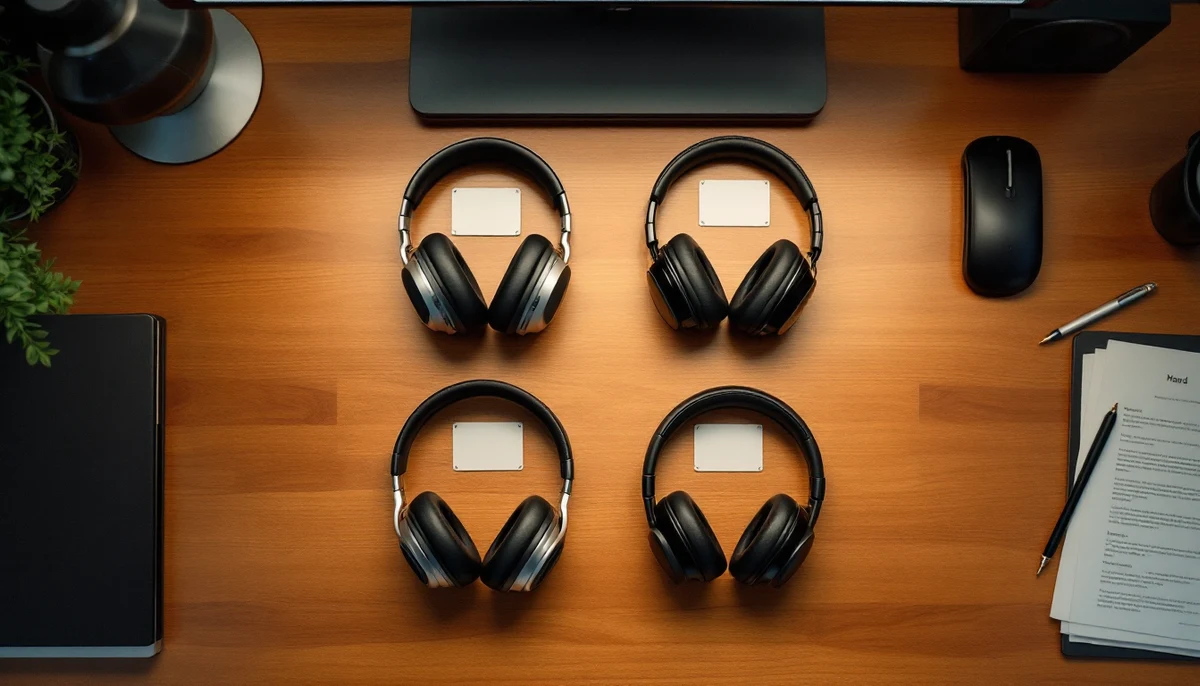
The screen reader roadmap for 2026: JAWS, NVDA, VoiceOver, TalkBack
Almost every blind or low-vision user on the public web in 2026 is interacting with one of four screen readers: JAWS, NVDA, Apple’s VoiceOver, or Google’s TalkBack. Together they cover roughly nineteen out of every twenty assistive-tech sessions across desktop and mobile. This field guide catalogues each of the four — and adds a smaller, fifth exhibit for the three emerging players (Narrator, ChromeVox, Orca) that genuinely matter at the margins.
The previous installments in this technology series compared screen readers against one another in a single matrix or argued for a specific testing methodology. That comparative view is useful when an engineer is deciding which reader to test against next. It is less useful when the question is the longer one: who actually uses which reader, why, and what is each vendor doing for 2026? This guide takes the opposite view. It works from one reader outward at a time, with an identical anatomy for each entry, so the catalogue can be read top-to-bottom or jumped to by reader name.
Every exhibit below records the same seven things in the same order: 2026 market share, platforms, last major release, ARIA 1.3 support depth, distinctive features, known limitations, and the adoption pattern — who chooses this reader and why. The final mini-exhibit covers Narrator, ChromeVox, and Orca together because each is meaningful only inside its own ecosystem.
4 dominant screen readers · ranked by 2026 desktop+mobile share
| ID | Reader | Platforms | 2026 share (approx.) |
|---|---|---|---|
| E·01 | NVDA | Windows (desktop) | approx. 37% desktop |
| E·02 | JAWS | Windows (desktop, enterprise) | approx. 31% desktop |
| E·03 | VoiceOver | iOS, iPadOS, macOS, visionOS | approx. 71% mobile · approx. 9% desktop |
| E·04 | TalkBack | Android | approx. 26% mobile |
| E·05 | Emerging: Narrator · ChromeVox · Orca | Windows · ChromeOS · Linux | combined approx. 6% desktop |
Desktop figures are anchored to the most recent WebAIM screen-reader user survey (cycle #10, published 2025), in which respondents are asked which reader they use most often. Mobile shares are aggregated from Apple iOS accessibility settings telemetry summaries and Android accessibility-services usage published by Google’s accessibility team through Q1 2026. Shares are directional, rounded, and overlap is possible because many respondents use multiple readers across devices.
Where the data comes from
The four shares above are reconciled from three independent sources. WebAIM’s Screen Reader User Survey #10 is the canonical desktop reference: roughly 3,800 respondents, self-reported primary reader. Apple’s published accessibility-impact summaries and Google’s Android accessibility quarterly post cover the mobile side. Where the two diverge — particularly on the question of how often desktop respondents also use a mobile reader — we have favoured the WebAIM dataset for primary-reader attribution and the platform telemetry summaries for breadth. Numbers are directional. Almost no respondent uses only one reader, and the modern norm is a desktop reader plus VoiceOver on a phone.
In 2026, “supporting screen readers” means supporting these four. Everything else combined is below seven percent, and most of it is a thoughtful niche rather than a viable testing target.
NVDA and JAWS share the Windows desktop. VoiceOver dominates mobile and quietly carries the Mac. TalkBack carries Android. Each one solves the same accessibility problem from a different starting point — open source, enterprise license, platform integration, or Android’s heterogeneity — and each one carries different bugs.
NVDA — NonVisual Desktop Access
Windows only. NV Access publishes a portable build that runs from a USB stick without installation rights, which has made NVDA the universal lab and audit reader. There is no macOS, no Linux, no mobile build, and there is no roadmap promising any of them.
NVDA 2025.4 shipped in late 2025 with consolidated Chromium UIA bridge improvements, a remote-access feature now built into the core (no add-on required), and expanded language-switching defaults. The 2026.1 release line is in preview as of this writing and is expected to ship the formal ARIA 1.3 conformance pass tied to the W3C’s December 2025 candidate-recommendation update.
Strong and improving. NVDA has historically been the first reader to pick up new ARIA roles, properties, and states because its release cadence is faster than JAWS’s and its codebase is open. As of 2025.4, the new aria-actions property is read but with placeholder verbiage, the long-awaited aria-brailleroledescription is honoured on refreshable braille output, and the expanded role=“comment” + role=“suggestion” pair used by collaborative document editors is fully exposed.
Open-source and free under GPL. A first-class Python add-on API that has produced an active third-party extension ecosystem — sound-themed audio cues, integrated OCR for image-of-text content, web developer toolkits, custom language profiles. Built-in remote access for tech support. A community-driven, transparent bug tracker on GitHub.
NVDA’s speech synthesis defaults can sound noticeably more synthetic than JAWS’s premium voices on first install, which sometimes biases new-user comparisons. Enterprise deployment requires more in-house knowledge than JAWS because there is no commercial support contract by default. Some legacy Windows desktop applications that rely on MSAA-only accessibility APIs are read with a perceptible delay relative to JAWS.
Chosen by users with strong individual cost sensitivity (it is free), by accessibility professionals who need a portable build for audits, by developers who need the open codebase and the Python add-on API, and increasingly by enterprises in the Global South where the JAWS license cost is not realistic. NVDA’s rise to the desktop top spot in WebAIM #10 is the headline accessibility-software story of the last five years.
JAWS — Job Access With Speech
Windows only. Vispero (which owns JAWS, ZoomText, and Fusion) has consistently declined to commit to a macOS or Linux port. JAWS is the dominant reader inside US federal-government, US state-government, US healthcare, and US enterprise procurement environments, where Vispero’s volume-license agreements are deeply embedded.
JAWS 2026 shipped in January 2026 with formal ARIA 1.3 alignment, an extended PDF-tagged-content reading model, a refreshed integration with FSReader and FSCast, and improved Microsoft Edge support in the Chromium UIA bridge. JAWS now ships on an annual major-release cadence with rolling monthly patches.
Comprehensive but slightly more conservative than NVDA. JAWS 2026 fully supports aria-actions, the comment + suggestion roles, expanded aria-errormessage handling on grouped form controls, and the new aria-brailleroledescription braille output. Where JAWS lags slightly is the new ARIA 1.3 keyboard-shortcut hint property: support landed but with verbose announcements that some users disable manually.
Vocalizer Expressive premium voices that many users describe as the most natural-sounding on Windows. Industry-standard scripting language for application customisation, used inside large enterprise deployments for line-of-business applications. Tightly integrated training and certification programme through Freedom Scientific. Volume-license discounts for institutional procurement. Convergence with the ZoomText magnifier through the Fusion product.
The annual license cost (approx. USD 1,200 commercial, USD 90 annual subscription) is the single largest barrier to adoption outside North American and Western European institutional environments. The scripting engine, while powerful, is a barrier to entry for casual customisation compared to NVDA’s Python add-on API. JAWS’s release cadence is slower than NVDA’s, so emerging ARIA features sometimes arrive months after they have already shipped in NVDA stable.
Chosen by users inside institutional procurement environments (US federal/state government, large US enterprises, schools and universities), by users who specifically depend on the JAWS scripting engine to make a custom application accessible, and by long-tenured users who learned JAWS in the 1990s or 2000s and have a deep customisation profile they would rather not rebuild. JAWS continues to lose ground to NVDA on the cost-sensitive end of the market and to hold ground on the institutional end.
VoiceOver — Apple’s platform screen reader
iOS, iPadOS, macOS, watchOS, tvOS, and visionOS. VoiceOver is the canonical example of a screen reader designed as an integrated platform service rather than a third-party application. On mobile it has effectively no competition inside the Apple ecosystem; the only Apple-platform alternative is the much smaller-deployed Hindenburg or third-party low-vision tools.
VoiceOver ships inside the operating system, so its release cadence tracks iOS, iPadOS, and macOS. The 2026 cycle introduced the new “Page Summary” Apple-Intelligence feature that produces an LLM-generated landing-summary of a web page before the user begins reading; expanded VoiceOver rotor verbosity controls; and a refreshed braille input table that is the largest braille refresh shipped on any platform in 2026.
Strong on iOS Safari and macOS Safari, weaker outside Safari. Within Safari, ARIA 1.3 features such as the new comment / suggestion roles, expanded error-messaging on grouped form controls, and aria-brailleroledescription on iOS braille displays are honoured. VoiceOver inside Chrome on iOS exposes a subset of ARIA properties — a long-standing limitation that is in part a WebKit-platform constraint rather than a VoiceOver bug.
Free, deeply integrated with the operating system, and the platform reader for visionOS — the first commercially shipped screen reader for a head-mounted display. The Rotor (iOS gesture, macOS rotary control) is a uniquely fast navigation model that experienced users frequently describe as the single most productive feature of any reader. Apple Intelligence Page Summary and image descriptions ship on-device in 2026, which keeps text and image content off the cloud.
VoiceOver’s verbosity defaults are aggressively chatty in 2025–26, and many users adjust them substantially before daily use. Behaviour can differ in important ways between Safari and Chromium-based browsers on iOS, which means web developers cannot test once and assume parity. macOS VoiceOver lags iOS VoiceOver on several feature lines, and macOS desktop respondents in WebAIM #10 still rank it third behind NVDA and JAWS.
Chosen — by default — by anyone on an iPhone, iPad, Mac, Apple Watch, Apple TV, or Vision Pro. Within the screen-reader population, VoiceOver users skew younger, more mobile-first, and more iOS-centric than the average JAWS or NVDA user. VoiceOver’s lock on the mobile side is structural: Apple’s ecosystem share among US blind / low-vision users is even higher than its share in the general population.
TalkBack — Android’s platform screen reader
Android (mobile and tablet). TalkBack ships with Google’s Android Accessibility Suite and is also bundled into Samsung’s One UI and other OEM Android skins. There is no desktop or ChromeOS variant — ChromeOS uses ChromeVox (E·05) — and there is no separate Wear OS reader; Wear OS uses a TalkBack-derived experience.
TalkBack 15.0 shipped through Google Play in early 2026 with multi-finger gestures inherited from the iPad-VoiceOver model, expanded Gemini Nano on-device image-description support, a refreshed reading-controls menu, and the long-requested ability to navigate web headings with the same multi-finger swipe gesture used inside Android apps.
Improving but historically the weakest of the four. TalkBack reads web content via Chrome on Android, and Chrome on Android’s accessibility-tree exposure has consistently lagged Chrome on desktop. 2026 closes much of that gap: the new comment / suggestion roles are exposed, aria-actions is read with placeholder verbiage, and grouped form-error handling has been refined. Some ARIA 1.3 properties — particularly the new keyboard-hint family — are still announced inconsistently in some Android web views.
Free, integrated into the operating system, and the global reader leader by absolute installed-base count outside North America and Western Europe. Gemini Nano on-device image descriptions ship by default in 2026 for new images and previously-unlabelled images. Reading-controls menu is the most-customisable on-device verbosity control of any of the four readers. Open-source, with the code available in the Android Open Source Project.
OEM fragmentation means TalkBack behaviour can vary between Samsung, Pixel, Xiaomi, and other Android handsets — particularly on focus management, gesture handling, and certain custom-view ARIA mappings. Web-content reading inside non-Chrome Android browsers can produce different results than VoiceOver-in-Safari parity testing would suggest, and remains the single largest known cross-platform testing gap in 2026.
Chosen — by default — by anyone on an Android phone or tablet. Within the screen-reader population, TalkBack users skew significantly younger and more concentrated outside the US than VoiceOver users. For any product whose user base extends meaningfully into Asia, Africa, or Latin America, TalkBack is the single most consequential mobile reader to test against, even when North American testing has historically prioritised VoiceOver.
Three smaller readers that matter at the margins: each is the default inside its own platform niche, each has serious 2026 momentum, and each is worth tracking even though their combined desktop share is well under ten percent.
Emerging players — Narrator, ChromeVox, Orca
Narrator ships with Windows 10 and Windows 11. ChromeVox is the integrated reader on ChromeOS, deployed at scale in US K-12 school districts that have standardised on Chromebooks. Orca is the main Linux desktop screen reader, used on GNOME and KDE distributions and bundled with most major distros (Ubuntu, Fedora, openSUSE, Debian).
Narrator updates ship with Windows feature releases; the 24H2 cycle introduced a refreshed scan-mode model and a Copilot-integrated image-description path. ChromeVox 2026.x continues to ship with ChromeOS milestones, and added refined header navigation and a streamlined “explore by touch” model on Chromebook touchscreens. Orca 46+ tracks the GNOME release schedule, with Wayland-native support reaching parity with X11 in 2025–26 and ARIA 1.3 alignment proceeding inside Mozilla and Chromium on Linux.
Narrator’s ARIA support is meaningful but conservative: it handles the core ARIA 1.2 surface comprehensively, and 2024–25 Insider builds shipped initial ARIA 1.3 reads with some verbosity-defaults rough edges. ChromeVox inherits Chrome’s accessibility tree directly and has the same ARIA 1.3 coverage as desktop Chrome. Orca’s ARIA coverage is strong inside Firefox and Chromium on Linux but lags on some less-trafficked browsers and on native Linux toolkits that have not yet fully adopted the AT-SPI 2 metadata required by the new properties.
Narrator: zero-install, Copilot-integrated image descriptions, scan mode that makes web browsing approachable for first-time users. ChromeVox: tight ChromeOS integration, the only reader specifically optimised for Chromebooks, deployed across millions of US K-12 student devices. Orca: open source, deeply customisable, and the only viable screen reader on free desktop Linux — significant for academic, scientific, and free-software-aligned users.
Narrator’s third-party application support remains thinner than NVDA’s or JAWS’s, particularly for legacy Windows desktop applications and for line-of-business software that requires custom scripting. ChromeVox’s reach is narrowed by ChromeOS’s overall share. Orca’s reach is narrowed by Linux desktop’s share, and Wayland-related accessibility-API maturity has only recently reached production-quality parity with X11.
Each of these readers wins by ecosystem placement, not by feature competition with JAWS or NVDA. Narrator is chosen as a no-cost Windows entry point and as a recovery reader. ChromeVox is the institutional default inside many US school districts that have standardised on Chromebooks. Orca is the choice of users — often technical, often academic — who run free desktop Linux and need an open-source reader stack end-to-end.
No screen reader is “the right one” in 2026. The right answer is: test the one your users use, and accept that for any non-trivial product that is at least three of them.
What these four (and three) readers have in common
Read as a catalogue, the four dominant readers and the three emerging ones share more than a surface might suggest. All seven now ship some form of on-device AI-generated image descriptions in 2026, all seven have aligned with at least the core of ARIA 1.3, and all seven have shipped meaningful braille refreshes inside the past eighteen months. The trajectory is convergent on the platform-feature surface and divergent on the philosophical surface — open source versus commercial license, OS-integrated versus third-party, free versus paid.
The single most consequential pattern is that NVDA has overtaken JAWS as the most-used Windows desktop reader, and that the gap is widening rather than closing. The combination of NVDA’s free price, its portable build, its Python add-on API, and its faster ARIA release cadence has produced a structural advantage that the JAWS scripting engine and enterprise licence base do not fully offset. Expect the WebAIM #11 survey — due in 2026 — to widen the NVDA lead, not narrow it. On mobile the situation is the opposite of convergent: VoiceOver and TalkBack are deeply locked into their respective platforms, and the relative share between them tracks Apple’s and Google’s underlying handset share more than any feature difference between the two readers.
For an engineering team setting a 2026 testing baseline, the conclusion is simple: testing only one reader is no longer defensible. Testing two — typically NVDA on Windows desktop and VoiceOver on iOS Safari — has been the realistic minimum for several years. In 2026 that minimum should extend to three: add TalkBack on Android Chrome at the very least, because that population is large, growing, and underserved by North-American testing practices. Four-reader testing (NVDA + JAWS + VoiceOver + TalkBack) is the high-confidence baseline for any product whose ARIA surface is non-trivial.
What to audit first
If you maintain a public-facing web product
- Confirm that NVDA on Windows + Chrome reads your primary navigation, primary forms, and primary modal-dialog flows without error in the latest stable build
- Confirm that VoiceOver on iOS Safari reads the same surfaces correctly — VoiceOver in Safari is the canonical mobile baseline
- Confirm that TalkBack on Android Chrome reads them too — this is the single most overlooked test surface in 2026
- If your product surface is enterprise or government, add JAWS on Windows + Chrome and JAWS on Windows + Edge to the matrix
If you maintain a native mobile or desktop application
- Map every interactive control to a platform-native accessibility role — iOS UIAccessibility, Android AccessibilityNodeInfo, macOS NSAccessibility, Windows UIA — rather than relying on web-style ARIA shims
- Test against VoiceOver (iOS / iPadOS / macOS) and TalkBack (Android) for the relevant mobile and tablet platforms
- For Windows, test with both NVDA and JAWS — they expose different bugs in custom-view accessibility-tree implementations
- If your application ships on visionOS or watchOS, VoiceOver-on-visionOS / VoiceOver-on-watchOS is the only reader and must be tested directly on device
If you are choosing a reader as a new user
- If you are on Windows and cost-sensitive, start with NVDA — the free, portable, open-source path with the largest community
- If you are on Windows and inside an institutional procurement environment that already has JAWS, JAWS makes sense — particularly if you will need scripted application customisation
- If you are on iPhone, iPad, or Mac, VoiceOver is your reader; learn the Rotor early
- If you are on Android, TalkBack is your reader; spend time in the reading-controls menu to tune verbosity
- If you are on ChromeOS, Linux, or want a no-install Windows fallback, ChromeVox, Orca, or Narrator each fit their niche cleanly
Four readers cover almost the entire screen-reader-using public web in 2026: NVDA and JAWS on Windows desktop, VoiceOver across Apple’s ecosystem, and TalkBack across Android. Beneath them, Narrator, ChromeVox, and Orca each serve a real but smaller population inside their respective platforms. The convergence of the past eighteen months is real — every reader now ships on-device AI image descriptions, every reader has aligned with the core of ARIA 1.3, every reader has refreshed its braille output — but the divergence on price, openness, and platform integration is structural. NVDA is now the most-used Windows desktop reader, and the gap is widening. The mobile picture is locked: VoiceOver and TalkBack will continue to track Apple’s and Google’s handset share, not each other’s features. Test against at least three of these four. Four is better.
This field guide is updated annually against the WebAIM Screen Reader User Survey and the major platform telemetry releases. Read the companion analyses of WCAG 2.2 adoption, of ARIA 1.3 conformance across browsers, and of mobile accessibility testing methodology for the deeper context behind each exhibit above.
Browse the full assistive-tech reporting recordMethodologyDesktop share figures are anchored to the WebAIM Screen Reader User Survey #10 (2025), the canonical self-reported primary-reader source. Mobile shares are aggregated from published Apple iOS accessibility-impact summaries and Google Android accessibility quarterly notes through Q1 2026. Numbers are directional and rounded; cross-use is the norm and exclusive single-reader use is rare. ARIA 1.3 support depth reflects vendor release notes, NV Access changelogs, Vispero release notes, and W3C ARIA Working Group implementation reports through April 2026.
ScopeThe four dominant readers (NVDA, JAWS, VoiceOver, TalkBack) plus the three emerging readers (Narrator, ChromeVox, Orca). Specialist tools — refreshable braille displays as standalone readers, dedicated low-vision magnifiers without speech, single-purpose document readers — are out of scope for this catalogue. Regional and language-specific readers (Hindenburg, KochiTalk, smaller Japanese-language readers) are not covered here.
What this article is notAn endorsement of any single reader. Inclusion in this catalogue reflects 2026 deployment scale only and is not a judgement on quality. Read more on accessibility tooling and methodology and accessibility law by jurisdiction.