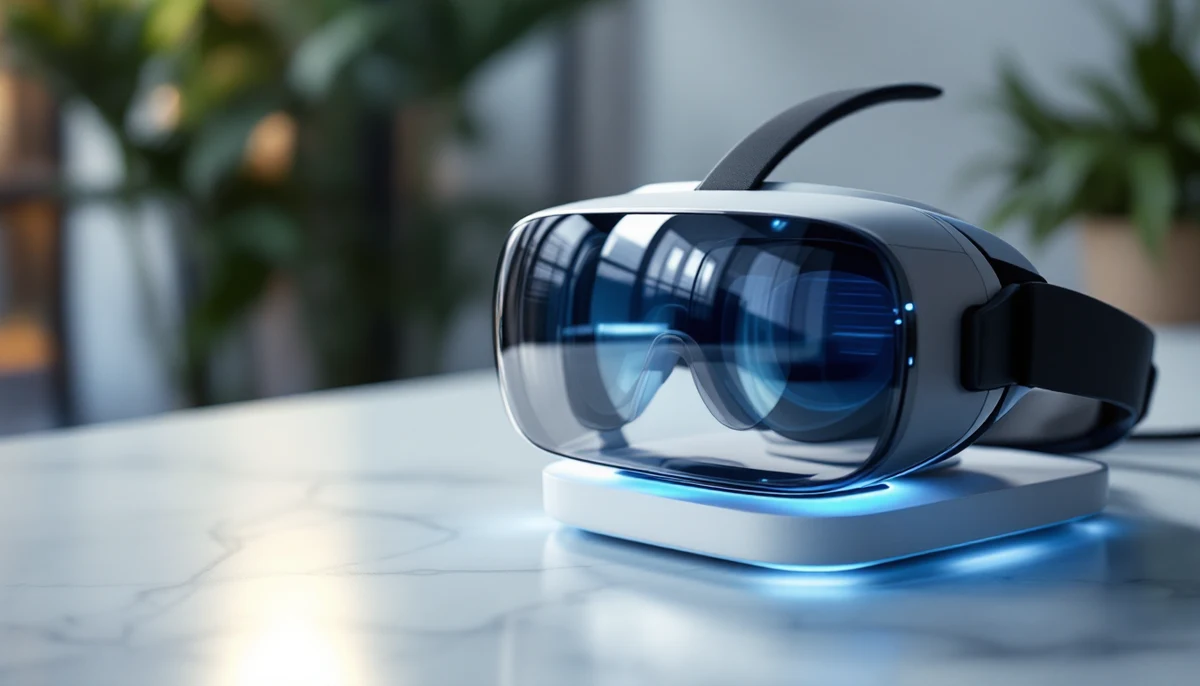
Every eighteen months, a press cycle for mixed-reality hardware promises an inclusive future. The 2024 Apple Vision Pro launch promised one. The Meta Quest 3 launch, and the smaller Quest 3S that followed, promised another. The WebXR specification — the W3C standard for AR and VR rendered inside the browser — has been promising one since 2018. The reality, in mid-2026, is more sobering: there is exactly one consumer headset on the market with a serious, native accessibility surface, and the platform-neutral browser layer underneath all of this is still a structural void where alt text, focus management, and assistive-technology semantics are supposed to live. This piece is a primer on where the technology actually sits — what works today, what is vapor, and what a developer in 2026 should and should not ship.
The frame is editorial rather than evangelistic. We are not arguing that XR is inherently more or less accessible than the two-dimensional web. We are arguing that the developer story for XR accessibility in 2026 looks roughly like the developer story for web accessibility looked in 2002: an emerging standard with most of the words missing, two dominant platforms moving at different speeds, and a small group of disabled users carrying most of the practical knowledge inside their own muscle memory.
The hardware landscape in 2026
Three devices dominate the consumer end of the mixed-reality market today, and they take three different positions on accessibility. Apple Vision Pro, running visionOS 2.4, is the only device of the three with a serious accessibility surface built into the operating system itself — VoiceOver in 3D space, switch control, hand-tracking customisation, eye-tracking-as-primary-input, and a Spatial Audio implementation that disabled users have repeatedly described as the most usable in the category. Meta Quest 3 and the lower-cost Quest 3S share an OS — Horizon OS — with a thinner accessibility layer: high-contrast mode, controller remapping, a colour-correction filter, voice commands for navigation, and a screen reader (added in mid-2024) that works inside the system shell but not reliably inside third-party apps. The Sony PlayStation VR2 ships effectively no native accessibility features inside its VR shell, although it inherits the wider PS5 accessibility layer when running flat-screen content.
Pricing has shifted noticeably. The original Vision Pro launched at approx. USD 3,499; the Quest 3 is approx. USD 499 and the Quest 3S is approx. USD 299. That gap matters for an accessibility argument, because the device with the strongest disability-input story is also the device that the vast majority of disabled users cannot afford to buy without an employer-funded reasonable-accommodation pathway. The shape of the mid-2026 market is, in plain terms: the accessible headset is expensive, and the affordable headset is, at the system level, accessible mostly in the sense that it does not actively prevent you from using it.
The category beyond these three — pass-through-only smart glasses such as Ray-Ban Meta, Xreal Air-class display glasses, and the various enterprise headsets used in surgical and industrial workflows — is largely outside the consumer XR accessibility conversation. Most of these devices do not run a desktop-class OS, do not expose a system-level accessibility API, and ship into a regulatory landscape that treats them as wearable accessories rather than computers.
The WebXR specification — and what it does not yet say
WebXR is the W3C specification that lets a browser hand a website access to an attached AR or VR device. It exposes a session object, a rendering context (usually layered on top of WebGL2 or WebGPU), and an input-source model for hands, controllers, and gaze. Browser support, in mid-2026, is strongest in Chromium-based browsers (Chrome, Edge, Brave, and a handful of mobile XR browsers), partial in Firefox via an enterprise build, and historically absent from Safari — visionOS Safari supports the spec but only inside immersive sessions and with the input semantics that Apple’s hand-tracking pipeline supplies. WebKit’s WebXR position has moved meaningfully in the last twelve months, but it is still a less mature surface than its Chromium counterpart.
The spec covers what the headset can do — render stereo frames, report pose data, expose grip and aim transforms, listen for select events from a controller or a pinch gesture. It says almost nothing about accessibility. There is no equivalent of an alt attribute for an object in 3D space. There is no formal focus model that an assistive technology can step through. There is no spec-level way to label a virtual button so that a screen reader can announce it. The closest thing to an accessibility hook in the WebXR specification today is the input-source profiles array, which lets a site identify whether the input is a hand, a controller, or a gaze cursor — and that array exists for content-rendering reasons, not assistive-technology reasons.
This is not a criticism of the W3C — it is a statement of where the work has and has not been done. The WebXR Accessibility User Requirements draft (XAUR) does exist at the W3C, and the Immersive Web Working Group has acknowledged most of the relevant gaps. But XAUR is a requirements document, not a normative spec, and the gap between “we know what the spec needs” and “the spec normatively says it” is, in practice, where most disabled users live today.
Apple Vision Pro accessibility, in detail
Vision Pro is the strongest accessibility story on the consumer XR market today, and the gap between it and everyone else is not subtle. The headset’s primary input is eye-tracking — the user looks at a target and the gaze cone defines the focused element — combined with a small set of hand gestures sensed by downward-facing cameras. For disabled users, Apple has added several surfaces that materially change what is possible inside visionOS.
Eye-tracking as primary input means that users with severe upper-limb motor impairment can drive the entire OS without hand or arm motion, provided their gaze is reliable enough to fixate on a target for the dwell duration. Hand-tracking alternatives let users substitute single-finger taps, wrist movements, or head-only gestures when the default pinch-and-tap is unreliable — a particularly important surface for users with neuromuscular conditions affecting fine finger control. VoiceOver in 3D space reads out the focused element in immersive contexts and uses Spatial Audio to indicate the spatial position of the element relative to the user’s head — a meaningfully different experience from a flat screen reader, and one that, when it works, reduces the cognitive load of building a mental model of the scene.
Spatial Audio for accessibility goes beyond VoiceOver. Audio cues for system events — notifications, focus changes, dialog openings — are positioned in 3D space so that a low-vision or blind user can locate them without sweeping their gaze. Switch control works inside immersive sessions, although the input must be paired through the same Apple accessibility setup as on iPadOS or macOS. Audio descriptions are exposed inside the Apple TV app for immersive video. And head-pointing exists as a recently added alternative for users whose eyes do not track reliably, although it is slower and more fatiguing than the eye-driven default.
None of this is perfect. VoiceOver in third-party apps still depends on the developer wiring SwiftUI or RealityKit components correctly, and the third-party app catalogue is small. Hand-tracking customisation requires going through several layers of settings and is not discoverable. The eye-tracking calibration itself can fail repeatedly for users with strabismus, nystagmus, or post-stroke gaze dysmetria. But compared with any other consumer headset on the market in 2026, the Vision Pro accessibility surface is the only one that a disabled user can sit down with and reasonably expect to use the device.
Meta Quest 3 and 3S accessibility, in detail
Horizon OS has been catching up in the last eighteen months, but the gap with visionOS is real. Quest 3 and Quest 3S ship with a system-level screen reader that announces shell UI elements — Home, Library, Store, Settings — and that works reasonably reliably inside Meta’s own apps. Outside the shell, the picture changes: most third-party VR apps render their UI inside their own engine (Unity or Unreal in most cases) and do not feed text into the system screen reader at all. A blind user can open the Quest store, but cannot reliably play most of what they buy.
Voice commands exist for shell navigation (“open Library”, “go Home”) and inside a small set of apps. High-contrast mode and a colour-correction filter exist at the system level. Controller remapping works in shell UI and in the small set of apps that consume Meta’s input abstraction layer rather than reading controller buttons directly. Hand-tracking exists as an input modality, and the recent firmware has improved the gesture set, but the Quest hand-tracking system was designed as a controller-free alternative for non-disabled users, not as an accessibility input — there is no dwell-click, no head-pointer fallback, no equivalent of the Vision Pro single-finger tap.
The most notable gap, for a developer audience, is the absence of a published accessibility API for Horizon OS. A developer building a Unity-based Quest app cannot today read the system accessibility settings, cannot register the app with the system screen reader, and cannot expose labelled focus targets to the system in a way that survives across apps. The Quest accessibility roadmap that Meta published in early 2025 commits to such an API, but as of mid-2026 it is not shipping.
The ARIA + WebXR intersection — and the broken-promise of voice input
The ARIA specification — the set of attributes that let a developer expose roles, states, and properties to assistive technology — was designed for two-dimensional documents. Roles such as button, dialog, tab, and navigation presume a focus model that moves along the document tree. WebXR does not have a document tree in the WebGL or WebGPU sense — there is a scene graph, but it lives inside the application, not inside the browser’s accessibility tree. The intersection of ARIA and WebXR, in mid-2026, is largely an absence: the browser cannot see the 3D scene’s structure, the screen reader cannot step through it, and the developer cannot declaratively label virtual objects the way they can label HTML buttons.
There are partial workarounds. A WebXR site can render a parallel DOM-based accessibility surface — a hidden HTML structure that mirrors the 3D scene’s interactive elements, with proper ARIA roles and labels, and that updates focus when the 3D selection changes. This pattern is functional but laborious; it doubles the development cost, and it tends to drift out of sync as the 3D scene evolves. The W3C Immersive Web Working Group has discussed a normative “accessible 3D element” proposal that would expose scene-graph nodes to the accessibility tree, but the discussion is not yet at a draft-spec stage.
The other intersection that should exist by now and does not is voice-first input. Voice was, for several years, the rhetorical answer to “how will a motor-disabled user navigate a 3D scene without hands?” The reality, in 2026, is that voice input inside immersive XR is brittle. The microphone is positioned close to the user’s mouth but inside a headset whose sound-pickup is optimised for room-scale spatial audio rendering, not speech capture. Confidence intervals on voice-command recognition inside the Vision Pro and the Quest hover well below the equivalent figure on a smartphone. The promise of “just talk to it” has not materialised, and the assistive-technology workflow inside XR is still gesture-and-gaze driven, with voice as an unreliable supplement rather than a primary modality.
The third intersection, and the one with the longest tail, is the question of gesture-vs-cane navigation. Blind users in physical space navigate using a white cane, a guide dog, or echolocation cues; the spatial model they build is anchored to floor-level obstacles and to the body’s proprioception. Most XR scenes are designed around a seated or standing user whose interaction targets float at chest height inside a room-scale bounding box. The mismatch is not aesthetic — it is structural. The “cane” model of navigation, where the user moves their attention along a low-energy probe through the scene, does not map onto any input the current XR runtimes support. A WebXR site that wanted to expose a cane-navigation surface to a blind user would need to invent the surface itself, with no help from the browser, the spec, or the OS.
Where developers should go in 2026
If you are building XR experiences in 2026 and you want them to be usable by disabled users, the honest answer is: do not ship browser-based WebXR to disabled users yet, except as supplementary content. Ship native visionOS apps if the budget allows, because that is the only platform where the accessibility surface is real, the system-level APIs work, and a disabled user can pair the app with assistive technology they already know. Ship native Quest apps with caution, knowing that the system accessibility surface will catch shell-level interactions but not in-app ones, and that the developer is responsible for building the equivalent of an accessibility tree inside the app’s own engine.
For WebXR specifically, the responsible 2026 posture is to treat it as a progressive enhancement. Build the experience first as a flat, accessible HTML surface that meets the relevant WCAG 2.2 success criteria. Layer the immersive XR experience on top for users who want and can use it, and ensure the flat surface delivers the same content and the same outcomes. Do not, in 2026, ship a WebXR site that has no flat fallback and expect a disabled user to find an alternative path through it — there isn’t one.
The bigger picture is that the XR accessibility story is at a similar inflection point to where the web’s accessibility story was twenty years ago: the standards are catching up, the platforms are diverging, and the gap between “what disabled users need” and “what the spec normatively requires” is wide. The work that needs to happen in the next two years — XAUR moving from requirements to normative spec, the accessibility-tree-for-3D proposal stabilising, voice input improving inside headsets, and an Horizon OS accessibility API actually shipping — is identifiable. Whether it happens on the timeline the user community needs is a different question, and one this publication will keep tracking.