A click on the modern web hides an assumption: that the person clicking has a hand, a wrist, and a pointing device that moves on two axes with sub-pixel precision and a separate, reliable button for the press. Strip any one of those out and the encounter changes. For someone driving the page with an eye-tracker, the “cursor” is a 1-degree-of-arc gaze cone that drifts and jitters. For someone using a head-pointer, the cursor is a webcam-tracked nose-tip with a slow dwell-to-click. For someone using a single-switch scanning interface, there is no cursor at all — only a sweeping highlight that lands on whatever happens to be focused when the user presses the switch. Each of these is a real input modality used today, in 2026, by a population large enough that “the modern web” should know about them. Most of the modern web doesn’t.
This piece is a concept primer on the three alternative input modalities that motor-disabled users most often rely on — eye-tracking, head-pointing, and switch input — and on how the standards layer (the WCAG 2.2 success criteria, the W3C Pointer Events specification) intersects with the user-interface patterns that actually appear in production. The reporting frame is editorial rather than litigation-driven: we are looking at what works, what doesn’t, and what designers can stop doing tomorrow.
Who uses these inputs, and why
The population that depends on alternative input modalities is not small. Estimates from the WHO Global Report on Health Equity for Persons with Disabilities (2022, with the 2024 monitoring update) and from the US CDC’s Disability and Health Data System place the share of adults with a significant upper-limb motor impairment at roughly 8% of the adult population in high-income countries, and the share of adults who cannot reliably use a standard mouse or trackpad at roughly 3-4%. Inside that 3-4% sit several distinct user groups whose preferred input modality is shaped by their physiology more than by their preference.
The clearest group is people with amyotrophic lateral sclerosis (ALS), who progressively lose voluntary control of their limbs and, eventually, of their facial musculature. Eye-gaze tracking is, for many people with advanced ALS, the only remaining channel for autonomous computer use. The ALS Association estimates that approximately 30,000 people are living with ALS in the US at any given time; the European ALS register suggests a similar age-adjusted prevalence across the EU. The second group is people with high-level spinal cord injury — particularly C1-C4 tetraplegia — for whom hands and arms are unavailable but eye and head motion are preserved. The third is children and adults with cerebral palsy, where the input strategy is highly individual: some users have enough finger control for a switch interface, others use a head-pointer, others a chin-driven joystick. The fourth is people with progressive neuromuscular conditions — muscular dystrophy, multiple sclerosis at later stages — who often transition through several input modalities over time.
Across these groups, two principles cut through the variability. First, almost everyone who uses an alternative input does so because the standard mouse-and-keyboard combination has become physically impossible, not because they prefer a novel modality. Second, the input is usually single-axis in some load-bearing sense: a single gaze fixation, a single head-pointing direction, a single switch press. Designs that assume two coordinated channels — a pointer plus a modifier key, a drag motion plus a precise drop target — collapse hardest for this audience.
The hardware, in 2026
The hardware landscape has shifted noticeably in the last three years. What follows is a rough map of what users are actually running, rather than a complete catalogue.
Eye-trackers
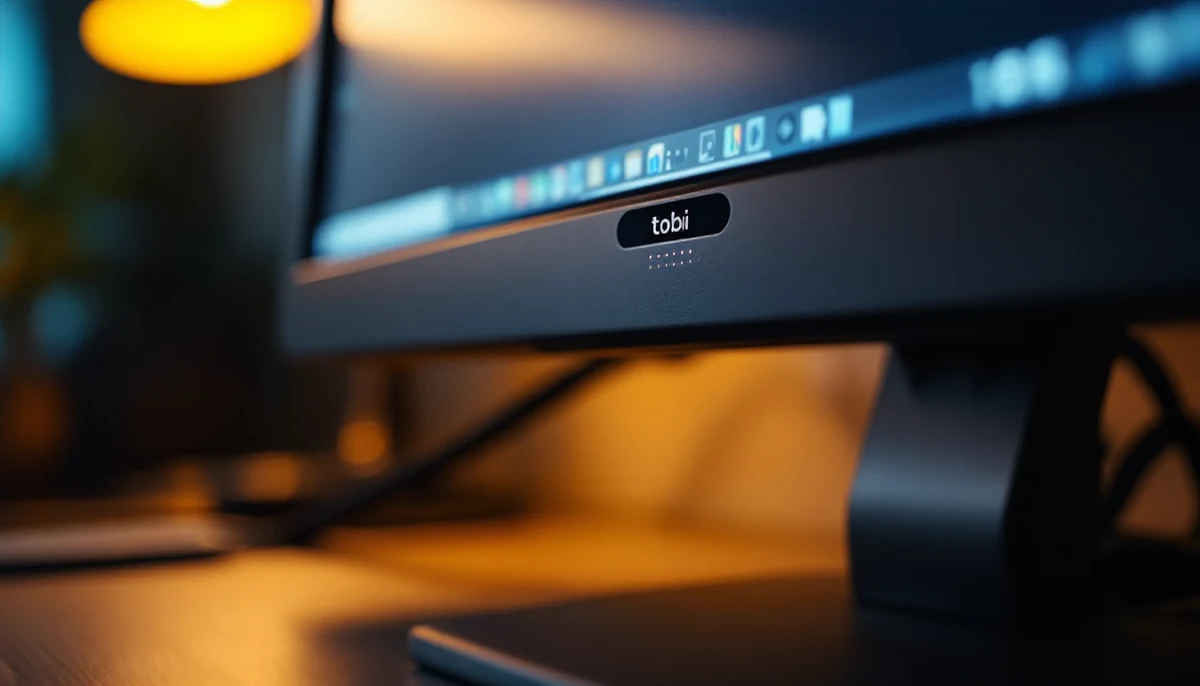
Tobii Dynavox remains the dominant clinical eye-gaze vendor. The current generation — the PCEye and the I-Series — uses an infrared sensor bar mounted below a monitor or integrated into a dedicated tablet, and reports gaze position to the host operating system as a system-level pointer. Calibration takes roughly 30 seconds; precision under good conditions sits around 0.5-1.0 degrees of visual arc, which translates to a gaze cone of approximately 30-60 pixels across at a typical viewing distance. EyeGaze Edge (LC Technologies) and EyeTech VT3 are clinical alternatives. On the consumer side, Tobii Eye Tracker 5 is sold primarily to gamers but is widely used as a low-cost accessibility input.
2024 brought the first mainstream consumer-grade eye-tracking integrated into a general-purpose computing device: the Apple Vision Pro ships with eye-gaze as the primary navigation modality, combined with a pinch gesture for selection. visionOS exposes the gaze position to system-level dwell-selection accessibility features, and from the developer’s point of view a gaze fixation followed by a pinch is reported as a standard click event. The accessibility population has, predictably, embraced visionOS for the same reason it embraced the iPhone in 2008: a built-in modality designed for mainstream use that happens to also serve the disability use case. The Vision Pro’s price point puts it out of reach of many users, but the precedent — eye-gaze as a primary input on a non-medical-device computer — is the precedent that matters.
Head-pointers
Head-pointer software typically uses the device’s built-in webcam to track a fiducial point — often the nose tip or a small reflective sticker placed on the user’s forehead — and translates head rotation into cursor motion. Camera Mouse (Boston College, free) is the longest-running implementation and remains in active use. Glassouse ships a wearable head-mounted gyroscope-based controller that pairs with the operating system as a Bluetooth mouse. macOS includes Head Pointer as a built-in accessibility feature; Windows 11 has equivalent functionality through Eye Control when paired with compatible hardware. Selection on a head-pointer is almost always dwell-based: the cursor hovers on a target for a configurable interval — typically 0.5 to 2.5 seconds — and a click event fires.
Switch input
Switch input is the simplest and the most variable of the three. The hardware is a single button — a large round mechanical switch, a sip-and-puff tube, a chin-operated lever, a foot pedal, a brain-computer interface in late-stage research — wired into a standardised switch interface (an AbleNet Hook+, a Pretorian J-Pad, a Tecla shield) that presents itself to the operating system as a USB or Bluetooth keystroke. The software then runs a scanning interface: a focus indicator moves automatically through the available targets on the screen, and the user presses the switch when the focus lands on the target they want. Single-switch scanning is one button driving everything; two-switch scanning typically maps one switch to “advance” and the other to “select.” iOS includes Switch Control as a built-in accessibility feature; Android 14+ ships Switch Access; macOS and Windows both ship comparable functionality. Switch input is fundamentally serial — the user cannot point at a target; they can only wait for the scan to reach it — and that fact shapes every design pattern below.
How they meet the web: the standards layer
From the browser’s point of view, an eye-tracker and a head-pointer both look like standard pointing devices: they emit pointermove, pointerdown, and pointerup events through the W3C Pointer Events specification, the same API a mouse or a touchscreen uses. Switch input, by contrast, looks to the browser like keyboard input: focus traverses tabbable elements, and the switch press fires a keydown event for Enter or Space. That divergence is the first thing a designer has to internalise — eye-gaze users hit your :hover states and your pointer-event handlers; switch users only ever encounter your keyboard-focusable elements and the focus order you defined.
WCAG 2.2 contains several success criteria written specifically to keep these input modalities working. Three of them carry most of the weight.
SC 2.1.1 Keyboard (Level A) is the foundational requirement: every functional element on the page must be operable through a keyboard interface alone. Switch users depend on this absolutely. An element that only responds to a mouse click — a custom div with a click handler and no tabindex, no role, no keydown handler — is invisible to a switch user. It is also invisible to many head-pointer users who fall back to keyboard navigation for sections of the page where dwell-clicking is too slow.
SC 2.5.1 Pointer Gestures (Level A) requires that any function operated by a multi-point or path-based gesture also be operable with a single-pointer action. The criterion exists because eye-gaze, head-pointer, and many alternative inputs cannot reliably perform multi-finger gestures or precise drag paths. A pinch-to-zoom that has no alternative button. A swipe-to-delete that has no on-screen delete control. A drag-to-reorder list that has no keyboard equivalent. Each of those is a 2.5.1 failure, and each one cuts off the modality the user actually has.
SC 2.5.2 Pointer Cancellation (Level A) requires that for any single-pointer activation, the action either does not execute on the down-event (it executes on up-event instead), or executes on the down-event but allows the user to abort the action by moving away before the up-event. The criterion is written for users who hit the wrong target with a tremor or a drift, and it matters intensely for dwell-based head-pointer and eye-gaze interfaces: a click that fires the instant the cursor lands gives the user no chance to recover from a gaze drift. Buttons that bind their handler to mousedown rather than click fail this criterion.
SC 2.5.7 Dragging Movements (added in WCAG 2.2) extends the gesture protection to drag-and-drop specifically: anything draggable must also be reachable through a single-pointer alternative, typically a button-driven move-up/move-down control. SC 2.5.4 Motion Actuation (Level A) protects users who cannot reliably shake or tilt their device. And SC 2.2.1 Timing Adjustable (Level A) and SC 2.2.2 Pause, Stop, Hide (Level A) protect everyone from interfaces that time out before a scanning interface can reach the relevant control.
These criteria are written as a single, integrated frame: the user has only one input axis, the input is slow, and the design must not assume otherwise.
Common breakage on production sites
Set those criteria against what production sites actually ship and a recurring set of failure patterns emerges. None of these are exotic. All of them appear in routine user testing with eye-tracker, head-pointer, and switch users.
Drag-and-drop with no keyboard alternative. A common pattern in project-management tools, file managers, and ranked-list interfaces: drag a card from one column to another. For switch users the action is impossible — there is no drag in scanning. For head-pointer and eye-gaze users the drag itself is approx. 4-5x slower than a button-driven move and is usually impossible to complete without dropping the item mid-motion. The fix is straightforward: pair every drag-and-drop with a button-driven move action, exposed in the keyboard tab order. The Trello-style “move card up / move card down / move to another list” menu pattern is the reference implementation.
Hover-only navigation. Dropdown menus, tooltips, and disclosure controls that appear only on :hover and disappear when the cursor leaves. For an eye-gaze user, the gaze cone drifts off the menu trigger the moment they try to look at a sub-item, and the menu collapses before they reach it. The WCAG 2.2 criterion that handles this is 1.4.13 Content on Hover or Focus (Level AA): hover-triggered content must be dismissable, hoverable (the user can move into it without it disappearing), and persistent. Many production menus fail all three.
Tiny click targets. SC 2.5.8 Target Size (Minimum) (Level AA, new in WCAG 2.2) requires that interactive targets be at least 24x24 CSS pixels, with exceptions. The criterion was written for touch and for pointer-imprecise users — eye-gaze, head-pointer, hand tremor. A 16-pixel close-icon at the corner of a modal is, in practice, almost impossible to hit reliably with an eye-tracker. The fix is mechanical: make targets larger, or expose the same action through a larger control elsewhere in the interface.
Time-bounded clicks. Carousels that auto-advance every 5 seconds, “you have 30 seconds to confirm” dialogs, session timeouts that fire mid-task. For a switch user navigating a scanning interface at a 1.5-second-per-target scan rate, a 30-second timeout is approx. 20 targets of reachable real estate — often not enough to reach the confirmation button. SC 2.2.1 Timing Adjustable requires that any time limit be extendable, adjustable, or dismissable. Most production timeouts are none of these.
Gesture-only confirmation. Swipe-to-confirm sliders, signature-pad confirmations, captchas that require tracing a path. Each is a 2.5.1 failure unless paired with a button alternative.
Action-on-mousedown. A button that fires its handler on mousedown rather than on the standard click event leaves the user no way to abort a misfire. SC 2.5.2 Pointer Cancellation is the criterion; the fix is to bind to click, or to pointerup with an explicit cancellation check.
Custom controls without ARIA. A <div> that visually looks like a button but lacks role=“button”, tabindex=“0”, and a keydown handler for Enter and Space. The control is unreachable by switch and by keyboard fallback. SC 4.1.2 Name, Role, Value (Level A) is the criterion. The fix is the native <button> element wherever possible, and a complete ARIA pattern wherever it is not.
Design patterns that work
The patterns that survive an eye-tracker, a head-pointer, and a switch scan share a small number of structural properties. Each is well-documented in the ARIA Authoring Practices Guide and in the WCAG 2.2 understanding documents, and each is in routine production use on sites that ship to mainstream audiences without anyone noticing.
Native HTML elements wherever possible. The single most reliable accessibility move is to use <button>, <a>, <input>, <select>, and <textarea> for their semantic purposes. Native elements come with the right keyboard handling, the right ARIA roles, the right focus behaviour, and the right pointer-cancellation semantics built in. The complexity of rebuilding any of those correctly with a custom <div> is approx. 10x the engineering work for an outcome that is almost always worse.
Visible focus indicators with adequate contrast. For switch users the focus ring is the cursor. A 2-pixel blue ring with 4:1 contrast against the surrounding background is the procedural minimum (SC 2.4.7 Focus Visible, Level AA, and SC 2.4.11 Focus Not Obscured, new in WCAG 2.2). Sites that strip the default browser focus ring without replacing it cut switch users adrift.
Predictable focus order. A switch scan moves through the DOM in source order by default, modified by tabindex. A scan order that jumps around the page makes the interface unusable. SC 2.4.3 Focus Order (Level A) is the criterion; the practical implication is that visual order and DOM order should match wherever the user is performing a sequence of actions.
Generous activation areas. SC 2.5.8’s 24-pixel minimum is the floor, not the target. Many of the design systems that have published accessibility-tested patterns since 2022 — Adobe Spectrum, IBM Carbon, GOV.UK Design System, the US Web Design System — default to 44-pixel touch targets, which works well for pointer-imprecise users without intruding on visual layout.
Confirmation flows with explicit buttons. Any destructive or irreversible action should require an explicit confirmation button — not a swipe, not a long-press, not a “click anywhere outside to dismiss.” The pattern works for everyone and survives every alternative input.
Generous timeouts, or none at all. If a timeout is required for security reasons (banking, healthcare), the user must be able to extend it through a single-pointer action well before it fires. The pattern is to surface a “still there?” prompt at 75% of the timeout window, with a single large button to extend it.
Skip-links and landmark navigation. A scanning interface that has to traverse the entire navigation menu, the entire hero section, and the entire ad slot before reaching the article body is unusable. A “Skip to content” link as the first focusable element of the page is the minimum; landmark regions (<main>, <nav>, <aside>) let switch users jump structurally rather than linearly.
Respect the user’s prefers-reduced-motion setting. Auto-advancing carousels and constantly-animated backgrounds make it impossible for an eye-tracker to settle on a stable target. CSS media queries (@media (prefers-reduced-motion: reduce)) let the same interface serve the user who needs the motion gone.
What this means for designers, engineers, and product teams
The reporting record on alternative input modalities lands in a place that should feel familiar to anyone who has read this site’s other accessibility primers. The technology has matured. The standards have matured. The user populations are well-characterised. The remaining work is procurement, training, and the daily habit of building interfaces that don’t quietly assume two-axis, two-hand, sub-second-latency input.
For designers: prototype with the keyboard. If your design works under tab-only navigation with a visible focus ring, it works for a switch user; if it doesn’t, the visual design has out-paced the interaction model. The Apple Vision Pro’s gaze-plus-pinch precedent reframes alternative input as the design baseline rather than a remediation. Designs that survive Vision Pro tend to survive Tobii.
For engineers: bind to click rather than mousedown. Use native HTML elements. Test your tab order. Run the page through a keyboard-only audit before it ships. Most of the breakage above is engineering convention rather than engineering difficulty.
For product teams: include users of alternative input modalities in routine user testing. The barriers above are not edge cases; they are routine failures that surface in 30 minutes of testing with a Tobii bar or an iOS device with Switch Control turned on. The cost of including the modality in the test plan is small. The cost of not including it shows up as the kind of breakage above, shipped at scale, to a population whose options are already narrow.
The web works when it accepts that the click is not the universal verb. The user with a Tobii bar mounted below her monitor, the user with a webcam tracking his nose tip, the user with a single mechanical switch wired to the corner of a desk — each of them is performing the same action as a user with a trackpad. The standards layer recognises that. The design patterns above honour it. The work is to keep building as if that were true.
Read more from Disability World on the WCAG 2.2 success criteria, on the wider 2026 reporting record, and on our ongoing assistive-technology coverage.